Telecom Network Platform Management provides end-to-end lifecycle management for your network technology estate. It tracks what platforms you run, where they are deployed, what depends on what, what software versions are active, and when things reach end of life.
What the module covers
- Platform types define a class of network technology (e.g. IMS/VoLTE, 5G SA Core, RAN, MPLS Core, EPC). Each type can have multiple deployed instances.
- Platform instances represent specific deployments (e.g. "5G Core Production", "IMS Lab"). Each instance records its deployment model, vendor, criticality, ownership, and support agreement.
- Dependencies capture directional relationships between instances (depends on, component of, integrates with) with criticality ratings for impact analysis.
- Components define the software and hardware building blocks within a platform type (e.g. AMF, SMF, UPF within a 5G Core).
- Hardware types and versions catalogue the abstract hardware families and their generations (e.g. HPE ProLiant Gen 11, Juniper MX 304).
- Software versions track releases running on each instance with lifecycle dates (GA, EOL, End of Sale, End of Support) and full release management.
Visualisations and dashboards
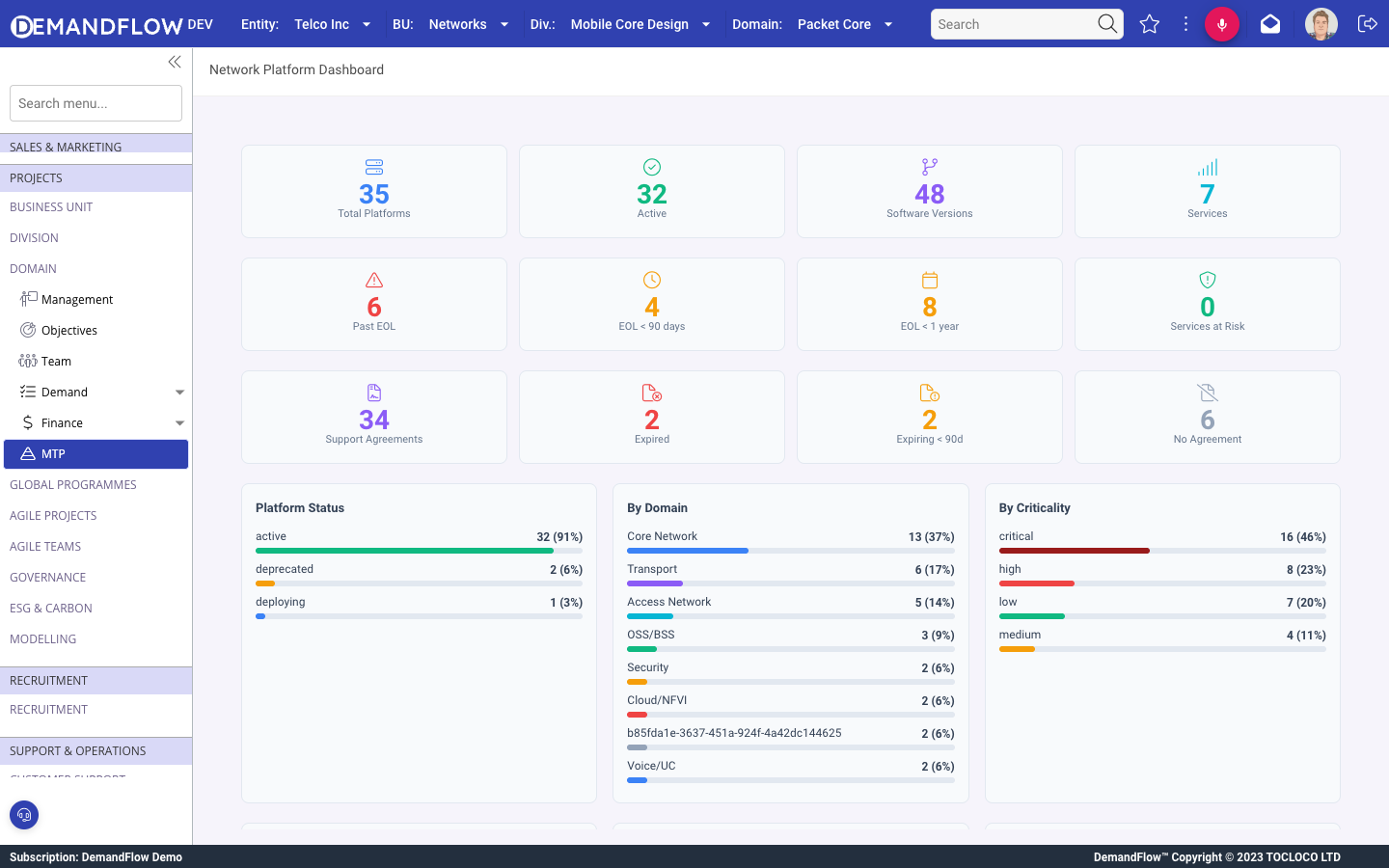
- The Network Platform Dashboard provides fleet-wide KPIs: total platforms, active count, past EOL, critical within 90 days, breakdowns by domain, criticality, deployment model, and environment.
- The Dependency Map is a visual graph showing all platform instances and their dependency relationships, colour-coded by status and sized by criticality.
- The EOL Roadmap shows software and hardware version lifecycles as Gantt bars, grouped by platform, with summary cards for expired, critical, warning, and healthy counts.
Where to find it
In the sidebar under Platform Management > Telecom platforms:
- Network dashboard, OPEX tracker
- Platform types, Platform instances
- Software versions, Components, Component dependencies
- Hardware types, Hardware versions, Hardware requirements
- Instance dependencies, Network services
- EOL roadmap, Dependency map
Getting started
- Create platform type records for each network technology. See Defining telecom platform types.
- Create deployed instances for each environment. See Managing platform instances.
- Map dependencies between instances. See Platform dependencies and impact analysis.
- Track software versions and lifecycle dates. See Software versions and the EOL roadmap.
- Define components and hardware. See Components and hardware catalogues.