A platform instance represents a specific deployment of a network platform type in a particular environment. This is where the operational detail lives: vendor, deployment model, criticality, ownership, and support agreements.
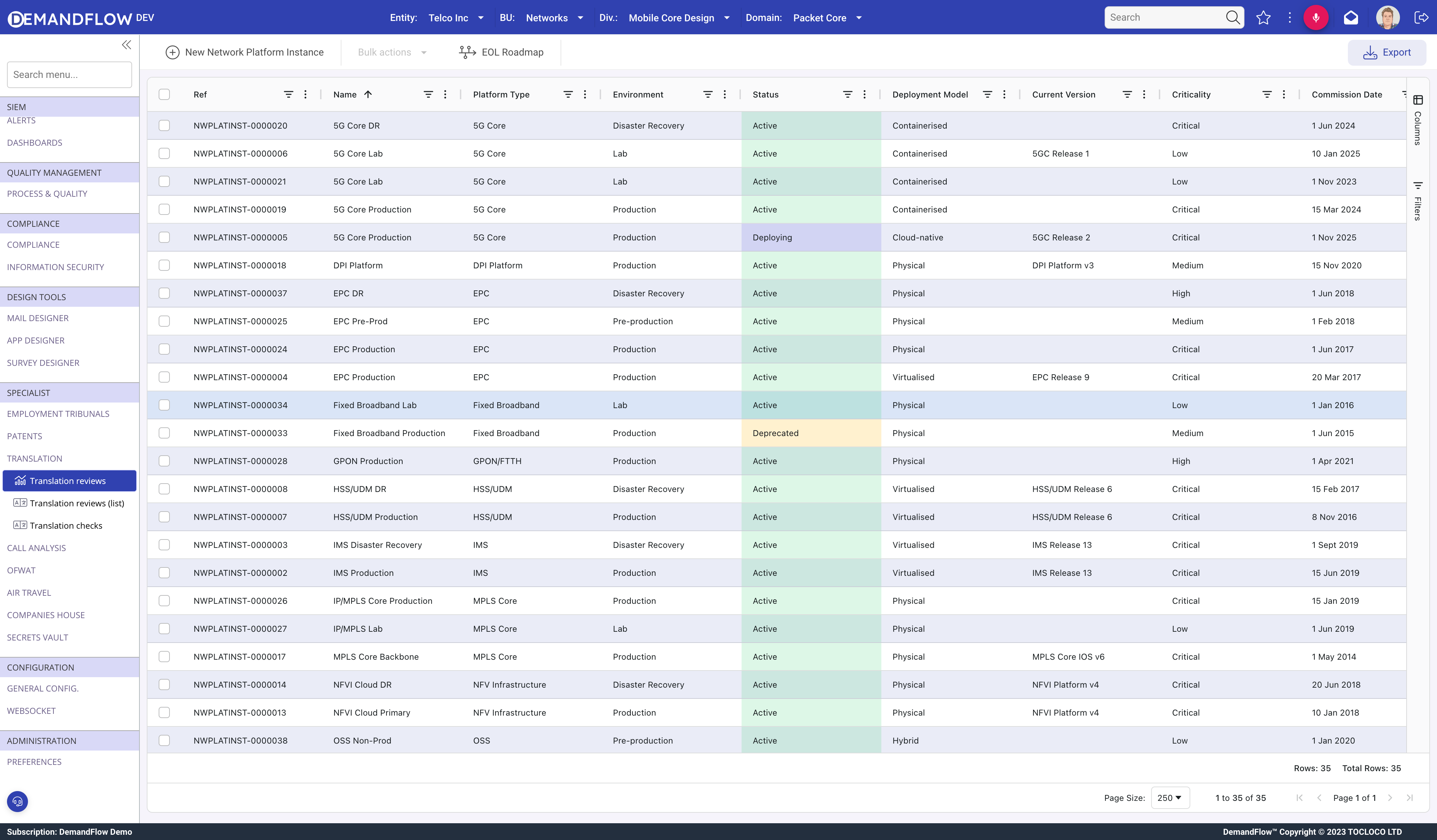
Creating an instance
- Navigate to Telecom platforms > Platform instances.
- Click New Network Platform Instance.
- Enter a Name (e.g. "5G Core Production", "IMS Lab").
- Platform Type (required): link to the parent platform type.
- Environment: Production, DR, Pre-prod, Staging, or Lab.
- Status: Planned, Deploying, Active, Deprecated, Decommissioning, or Retired.
- Save, then populate the remaining fields.
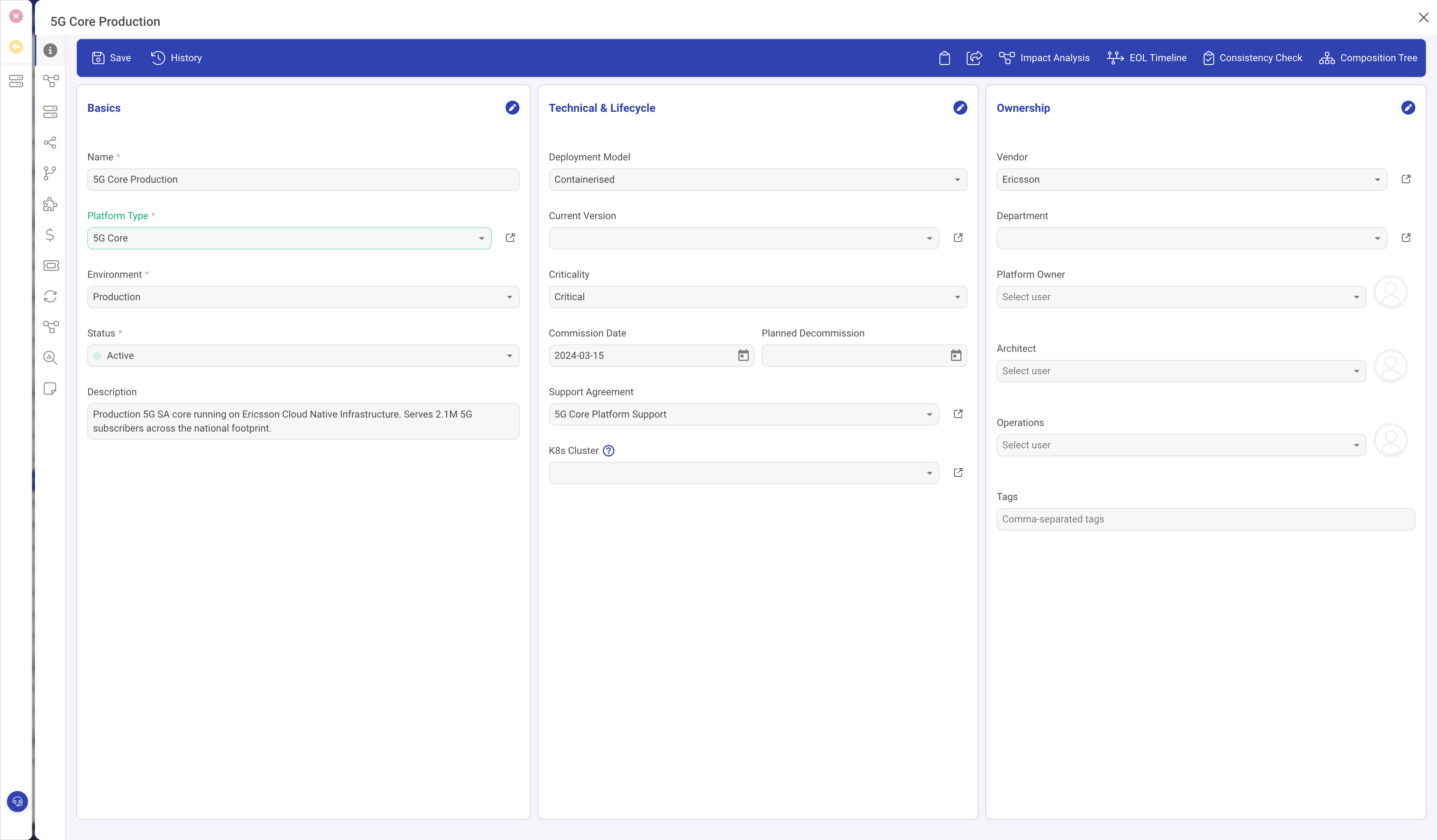
The General panel
Three columns:
Basics (left)
- Name, Platform Type, Environment, Status, Description.
Technical and Lifecycle (centre)
- Deployment Model: Physical, Virtualised, Cloud-native, Containerised, or Hybrid.
- Current Version: the software version currently running.
- Criticality: Low, Medium, High, or Critical.
- Commission Date and Planned Decommission.
- Support Agreement: link to a formal support contract.
- Hypervisor Cluster (visible when virtualised) and K8s Cluster.
Ownership (right)
- Vendor, Department.
- Platform Owner, Architect, Operations: the key people responsible.
- Tags: freeform labels.
Additional panels
Each instance has 12 panels covering:
- Dependencies: bidirectional (Depends On / Depended On By).
- Infrastructure: linked compute inventory and hypervisor clusters.
- Dependency Map: visual graph of this instance and its connections.
- Software Versions: version history with lifecycle dates.
- OPEX Tracker: operational cost tracking.
- NW Tickets, NW Changes, NW Problems: linked ITSM records.
- Impacting Projects: projects that affect this platform.
Toolbar actions
- Impact Analysis: recursively walks dependencies (up to depth 5) to find every platform that depends on this one, directly or transitively. Shows the full blast radius of an outage.
- EOL Timeline: visualises software version lifecycle for this instance.
- Consistency Check: validates data completeness and correctness.
- Composition Tree: shows the hierarchical component breakdown.