This guide covers creating a new patent record. You would typically do this when an invention is first disclosed, even before any filing has happened. You can then update the record as the patent progresses through provisional, PCT and national-phase filings.
Before you start, check that the main inventor has an inventor record set up and that your jurisdictions and technology categories are in place. If not, see Setting up reference data.
Open the Patents list
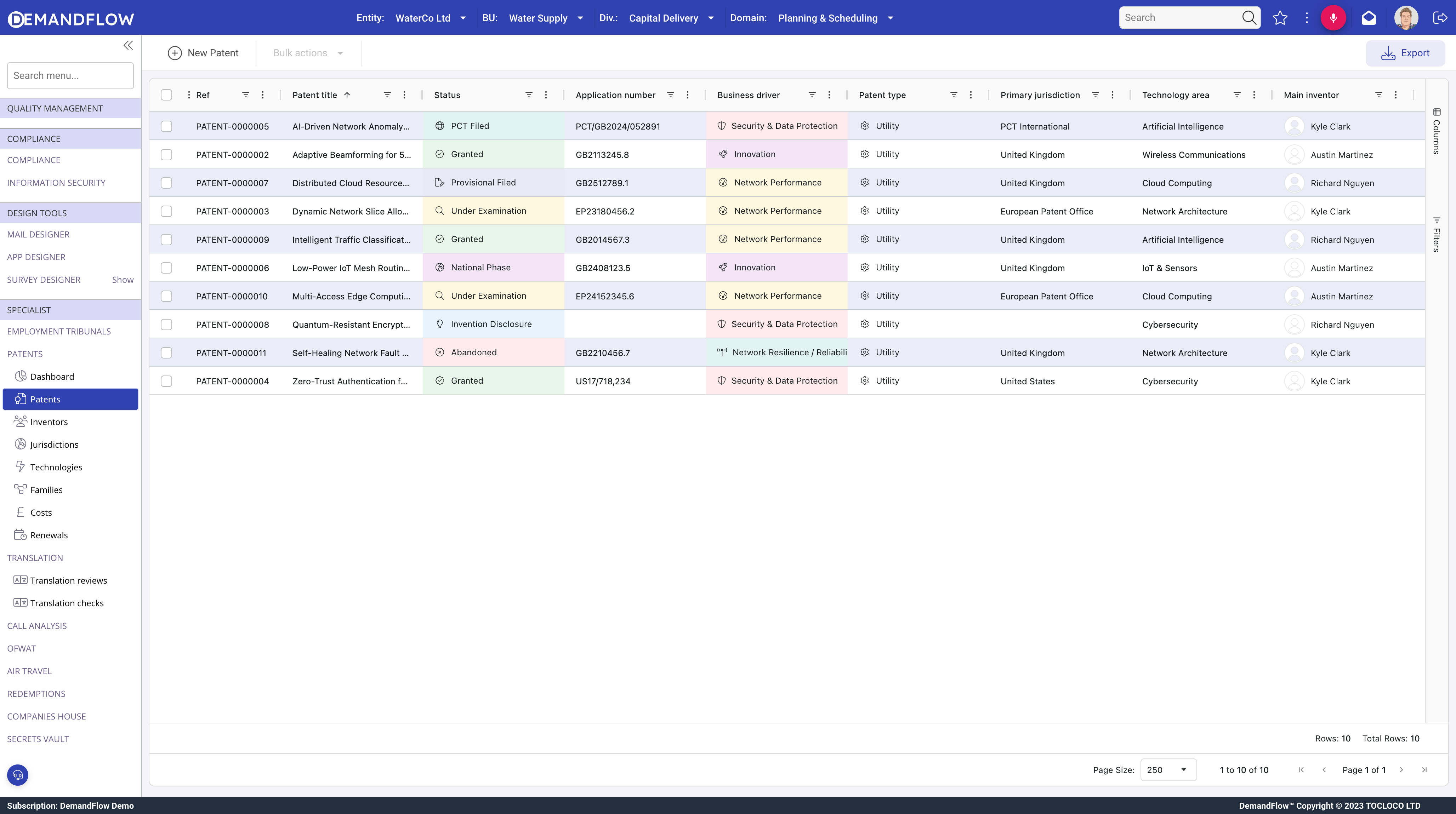
Go to Patents > Patents in the sidebar. This shows every patent in your portfolio along with its status, application number, main inventor, jurisdiction and technology area.
Create the patent
- Click New Patent in the toolbar. The patent form opens as a popout.
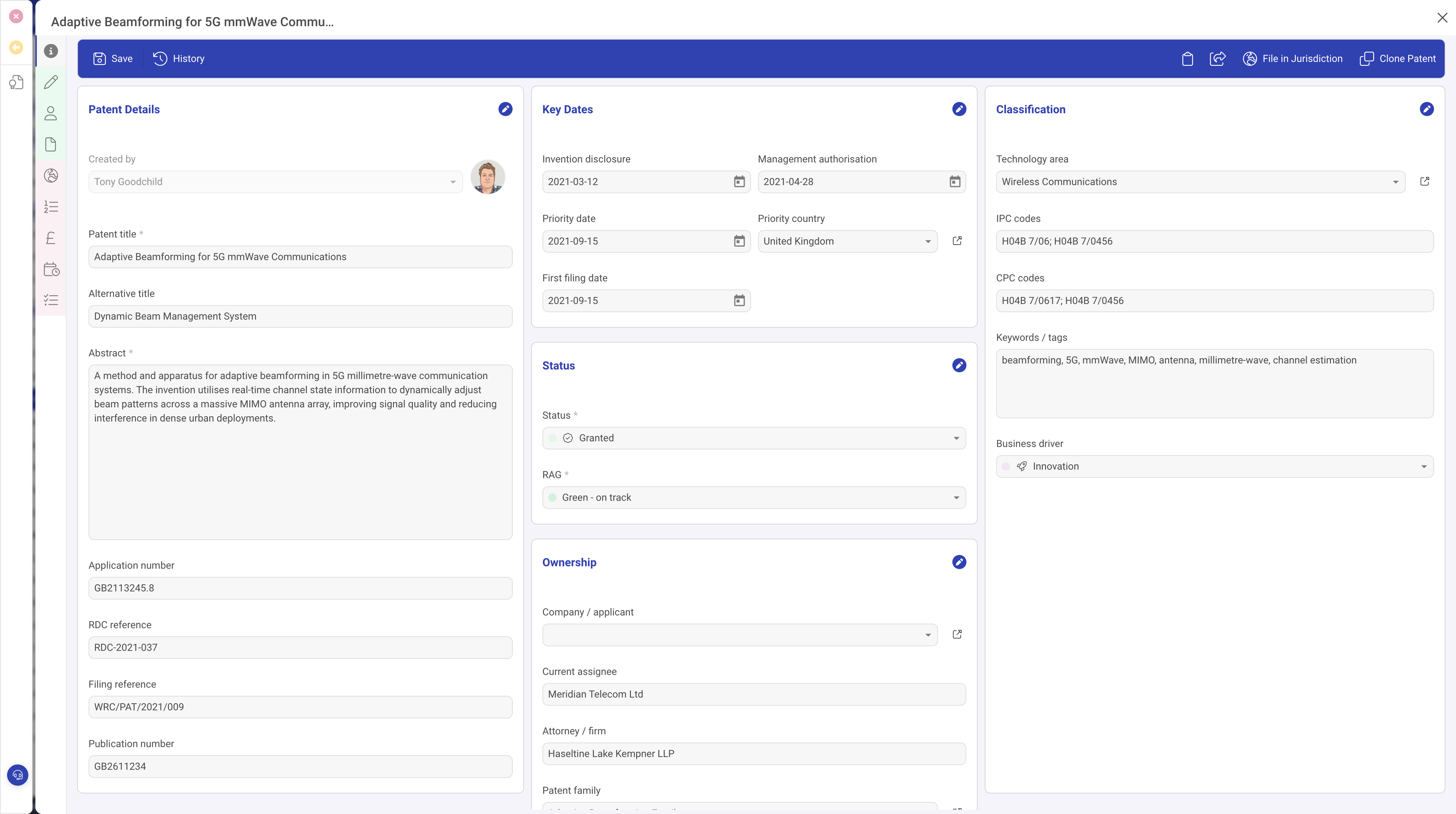
- Enter the Patent title. This is the only required field to save the record.
- Paste or write the Abstract. A good abstract makes the patent easy to identify in searches later.
- Pick the Main inventor from the inventor lookup. This is the person who is the lead contact for the invention. You will add co-inventors and their contribution percentages later.
- Choose the Primary jurisdiction. This is the first office you plan to file in, or the priority jurisdiction.
- Choose the Patent type, typically Utility, Design, Plant or Provisional.
- Set the Status to Invention Disclosure to begin. You will progress the status as the patent moves through filing, examination and grant.
- Set the RAG so you can see at a glance which patents need attention. Green is on track, amber is at risk, red needs intervention.
Classification
Classification fields make the patent easier to find and report on. None are mandatory, but filling them in pays back quickly.
- Technology area: pick from the list you set up in the reference data guide.
- IPC codes and CPC codes: the standard international and cooperative classifications. Separate multiple codes with semicolons.
- Keywords: free-text tags that turn up in search, for example beamforming, 5G, mmWave, MIMO.
- Business driver: why this patent matters to the business: Innovation, Security, Network Performance, Resilience and so on.
Key dates and ownership
Fill in dates as they happen. The form captures invention disclosure, management authorisation, priority date and first filing date, along with ownership fields for the company or applicant, current assignee and attorney or firm. You can leave any of these blank at disclosure and come back to them later.
Save
Click Save in the top right of the form. The patent now appears in the Patents list with its auto-generated reference number (for example PATENT-0000012) and is ready for you to add inventors, claims, jurisdiction applications and everything else.
What to do next
Next steps depend on where the patent is in its life cycle:
- Add the inventors and their contributions. See Linking inventors and contributions.
- Record the claims. See Recording patent claims.
- Once filed, add the jurisdiction application. See Adding a jurisdiction application.