A patent's claims are the operative part of the document. Recording them one by one inside DemandFlow means you can use them for claim charting, infringement analysis and licensing discussions without flipping back to a PDF every time.
You do not have to record every claim the moment the patent is filed. Many teams wait until allowance or grant, when the claim set is stable. Others record the filed claims and then update them after any amendments.
Open the patent and go to Claims
- Open the patent from Patents > Patents.
- Click the Claims panel on the left.
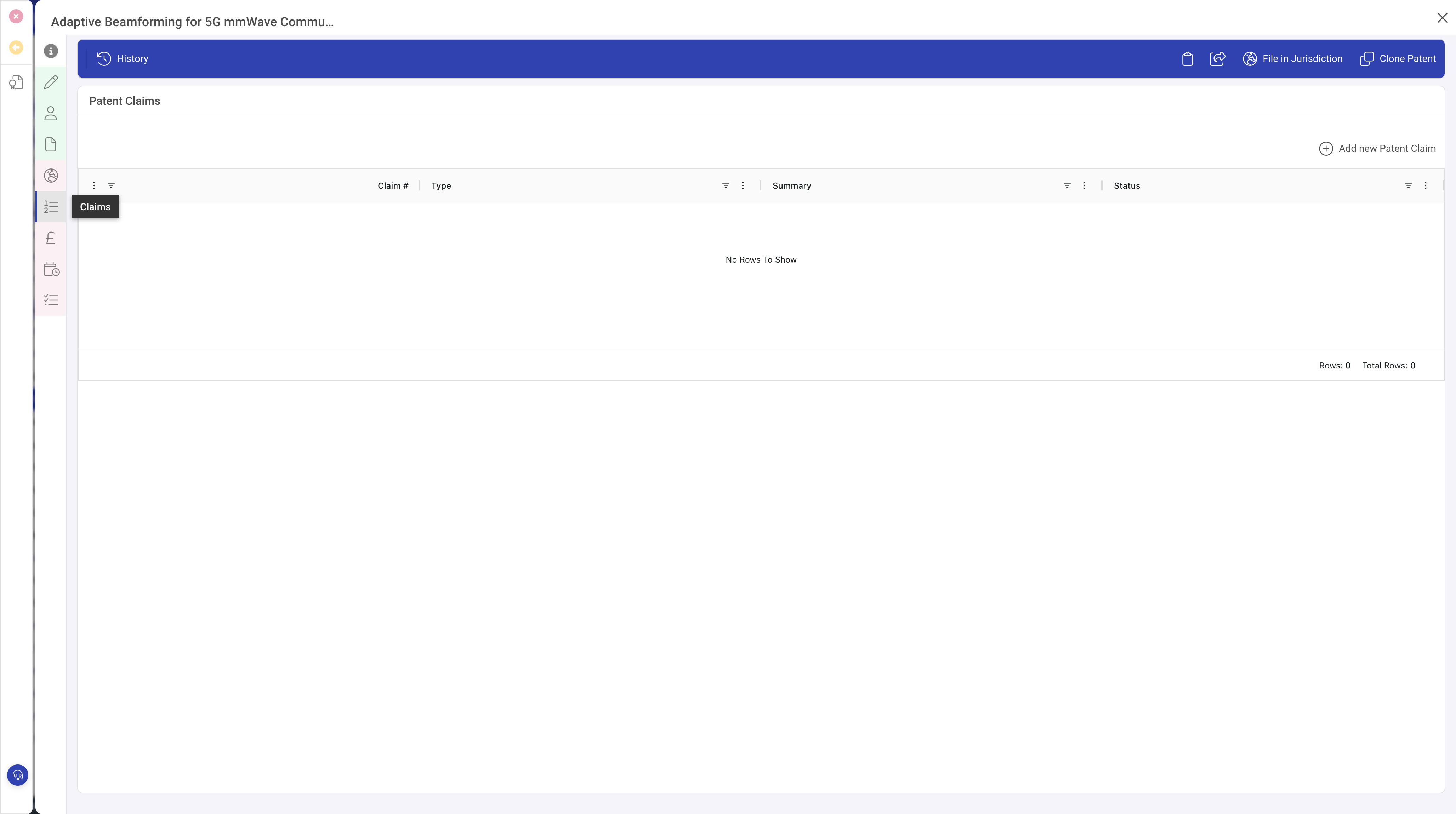
Add each claim
Click Add new Patent Claim in the Claims toolbar. A popout opens on the right with the claim form.
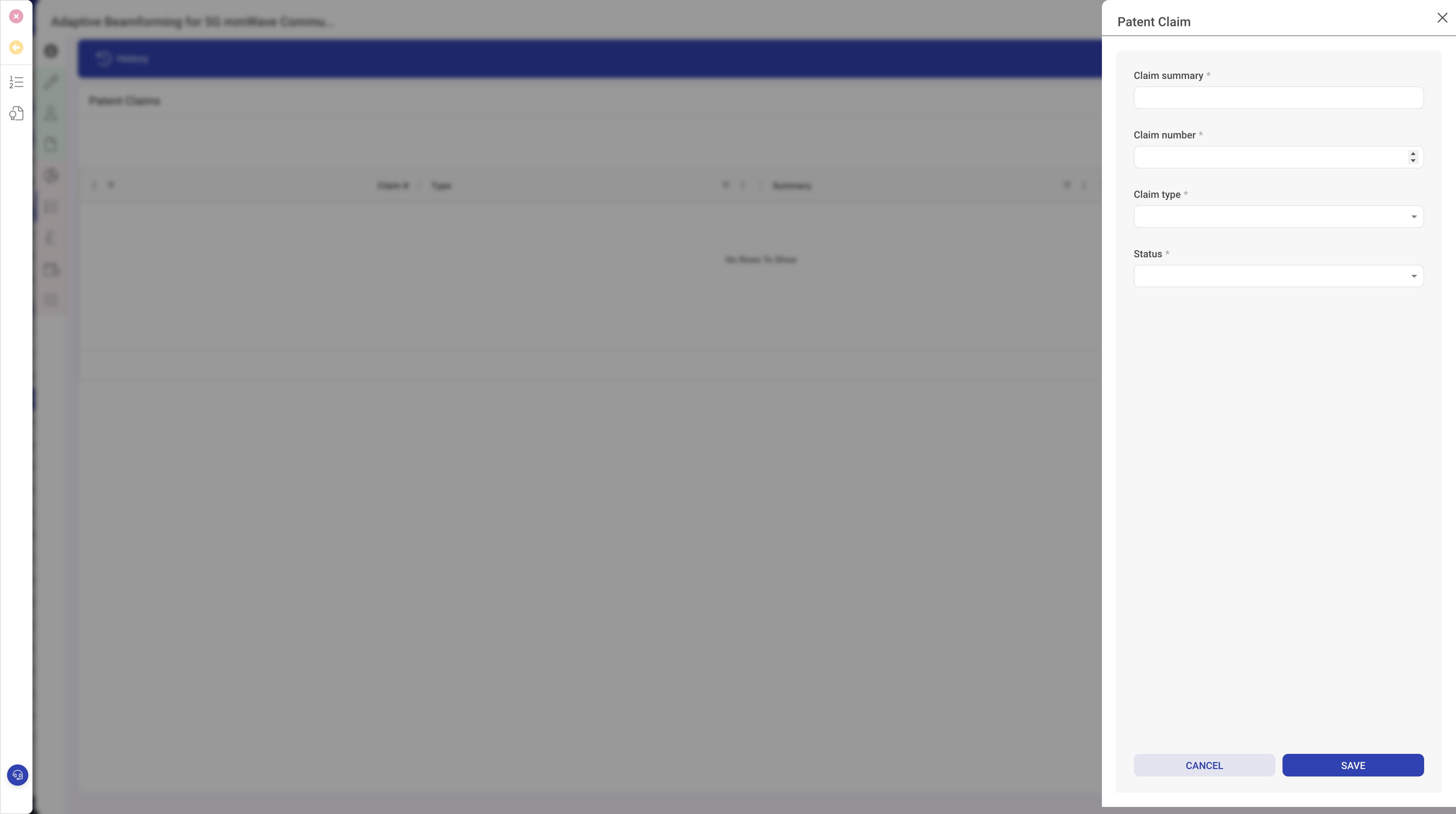
In the popout:
- Enter the Claim number (1, 2, 3 and so on).
- Pick the Type: Independent or Dependent.
- If the claim is dependent, fill in Depends on with the claim number or numbers it depends on.
- Paste the full Claim text exactly as it appears in the patent. Accurate wording matters for infringement analysis later.
- Set the Status to reflect the claim's current state: filed, amended, allowed, granted or cancelled.
- Click Save.
Repeat for each claim in the patent.
Tips for a tidy claim set
- Capture claim 1 first. Most patents are read starting from claim 1, and having the independent claim in place gives the rest a home.
- When you record a dependent claim, the Depends on field helps readers follow the chain without cross-referencing the original document.
- If a claim is amended during prosecution, update the claim text and set the status to amended. You can keep the history of changes in the activity timeline on the patent.
- If a claim is cancelled during prosecution, set its status to cancelled rather than deleting the claim. That way you still know what was once claimed.
What to do next
With the claim set in place, you can use it for infringement charting against third-party products, for licence scoping discussions, and for flagging which claims are most important during renewal decisions.