A jurisdiction application is the record that tracks a single filing in a single patent office. One patent can have many jurisdiction applications: typically a provisional or priority filing, a PCT filing, and then one national-phase application per country you enter.
Each jurisdiction application has its own filing, publication and grant numbers, its own prosecution date trail, and its own assignee and attorney. Keeping them separate from the parent patent means you always know exactly where each filing stands.
Open the patent and go to Applications
- Go to Patents > Patents and click the patent you want to add an application to.
- On the patent form, click the Applications panel on the left.
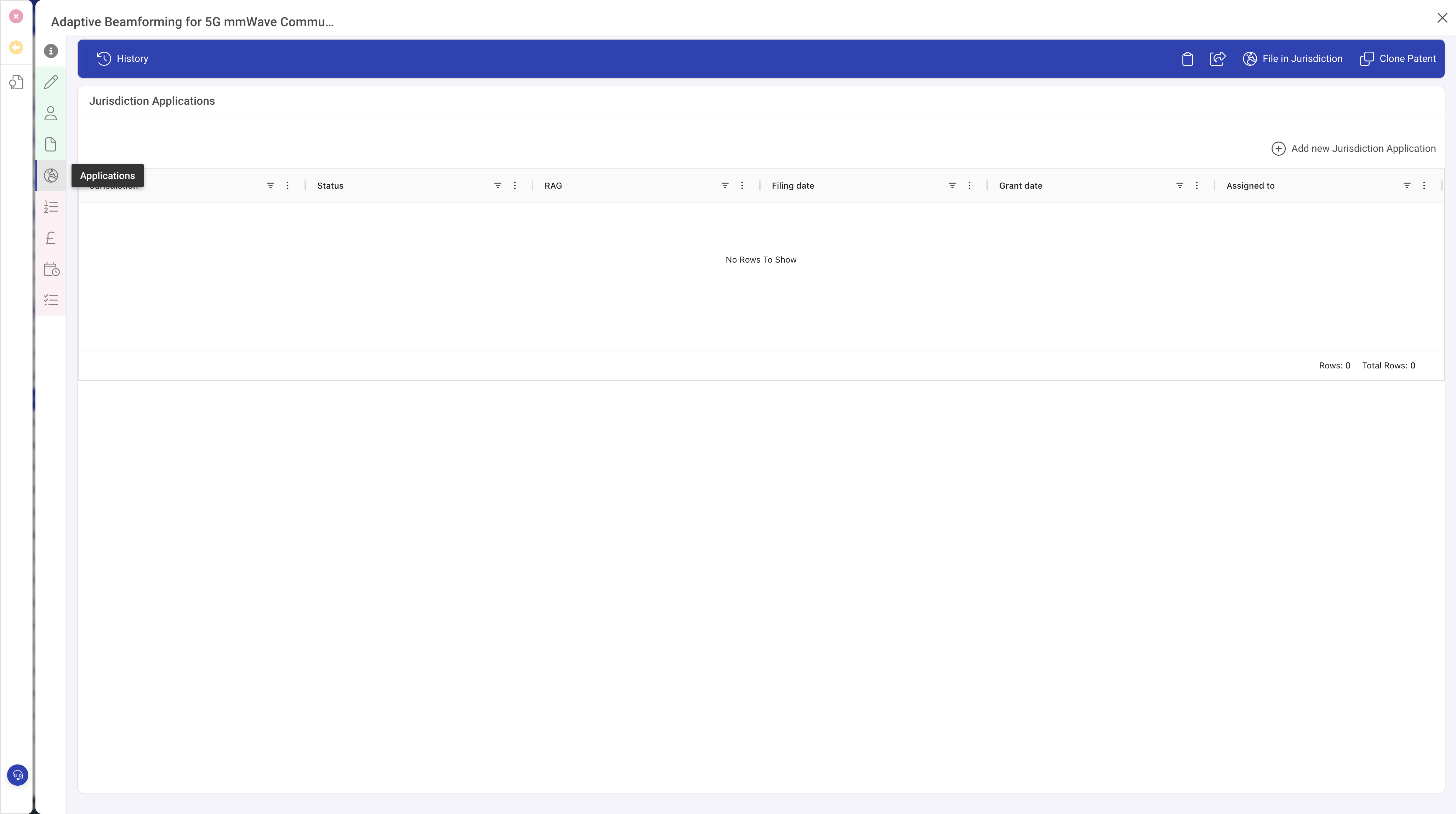
Create the application
Click Add new Jurisdiction Application in the toolbar. A popout opens on the right of the screen with the jurisdiction application form.
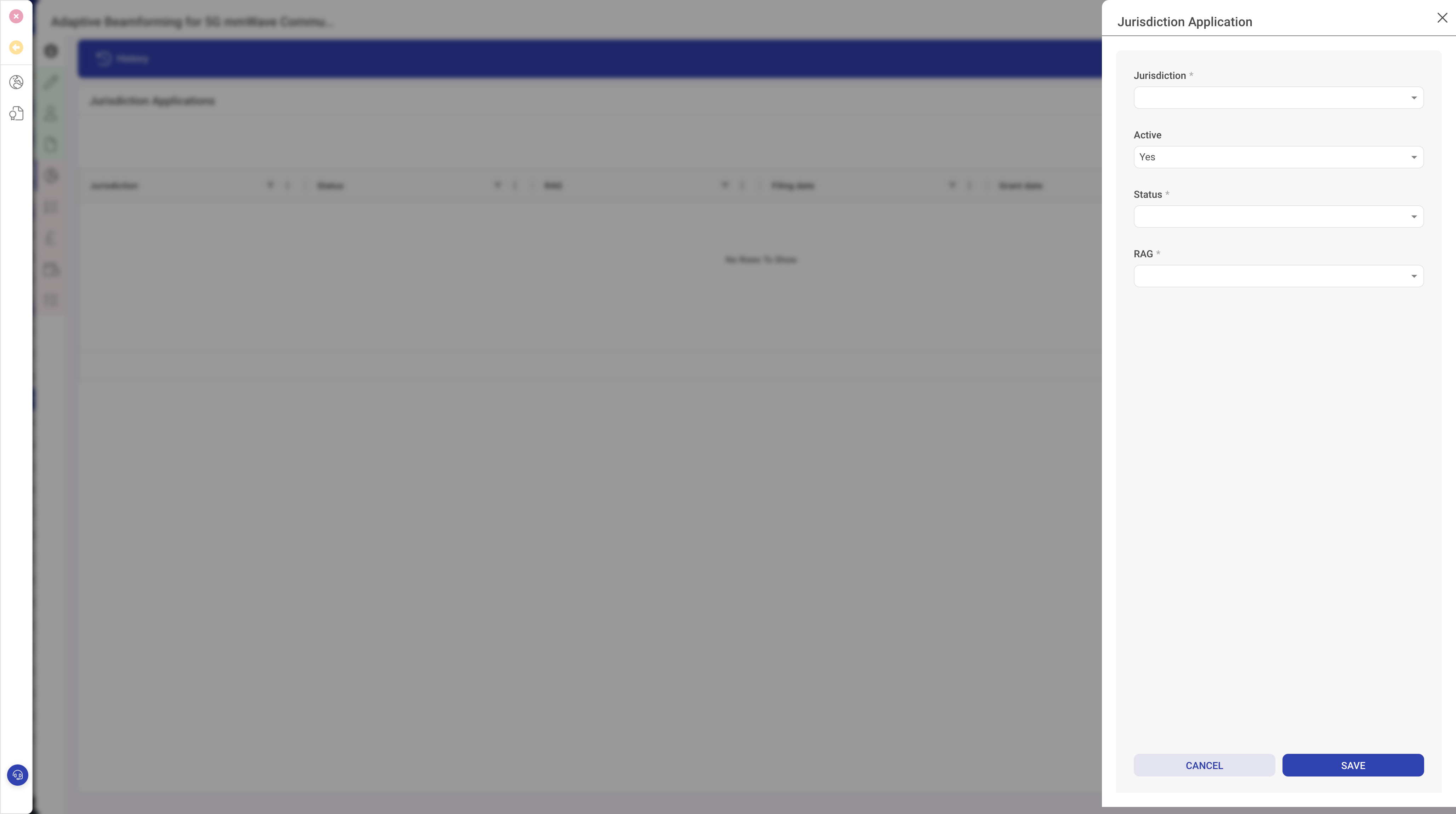
In the popout, fill in the following:
- Pick the Jurisdiction from the lookup.
- Leave Active set to Yes for live applications. Set it to No later if the application lapses or is abandoned in that specific jurisdiction.
- Set the Status to reflect where this filing is, for example Filed, Under Examination, Granted or Lapsed.
- Set the RAG to Green, Amber or Red so this specific application flags up separately from its parent patent.
- Click Save.
Once the application is saved, open it again to fill in the extra filing details: application number, publication number, grant number, filing reference, assignee, attorney or firm and the office Family ID. You can also add the full prosecution date trail: filing, publication, office action, response, grant and expiry. Each date is independent per jurisdiction, so the same patent can be granted in one country and still in examination in another.
Updating as prosecution progresses
Open the application whenever there is an update and add the new date or number. Typical events to capture:
- Filing acknowledged, filing date recorded.
- Publication reached.
- Office action received, response due date set.
- Response filed.
- Notice of allowance.
- Grant, grant number and grant date recorded.
- Expiry date calculated and recorded.
Keeping each jurisdiction's dates up to date is what makes the patent's overall status and the portfolio-level RAG meaningful.
Per-application notes and documents
Each jurisdiction application supports its own Notes and Documents. Use these for correspondence specific to that office rather than the overall patent. Office actions, attorney replies and IPO letters all belong on the application they relate to.
What to do next
Cost items can be linked to a specific jurisdiction application so you know exactly where each fee was spent. See Tracking patent costs. Once an application is granted, you will also want to add renewal records against that jurisdiction. See Scheduling and paying renewals.