IT Asset Management in DemandFlow
The ITAM module gives you complete visibility and control over your organisation's IT assets, from acquisition through to disposal. It covers hardware tracking, software licence management, and secure asset disposition, all within a single integrated system.
The three pillars of ITAM
ITAM is built around three core areas:
- Hardware Asset Management tracks physical devices (laptops, desktops, servers, monitors, phones) throughout their lifecycle. Each device is recorded as an IT Asset with full specifications, assignment history, warranty details, depreciation, and maintenance records.
- Software Asset Management covers the software your organisation uses and the licences that entitle you to use it. Software records describe the product. Licences track what you have purchased. Software Installations record where software is deployed. Staff Licence records link licence seats to individual users.
- IT Asset Disposition (ITAD) manages the secure, compliant disposal of assets at end of life. Disposition orders group assets for processing. Each asset on an order has its own triage, data wipe records, and certificates of destruction. ITAD has its own section in the sidebar under IT.
Where to find ITAM
In the sidebar, navigate to IT to find the ITAM section. This contains:
- IT assets dashboard for fleet-wide statistics and alerts
- IT assets for the main asset register
- IT asset status, IT asset types, Form factors, Storage types, Encryption types for configuration
- Software, Software installations, Licenses, Staff licenses for software asset management
The ITAD section sits separately under IT, giving disposition its own workspace.
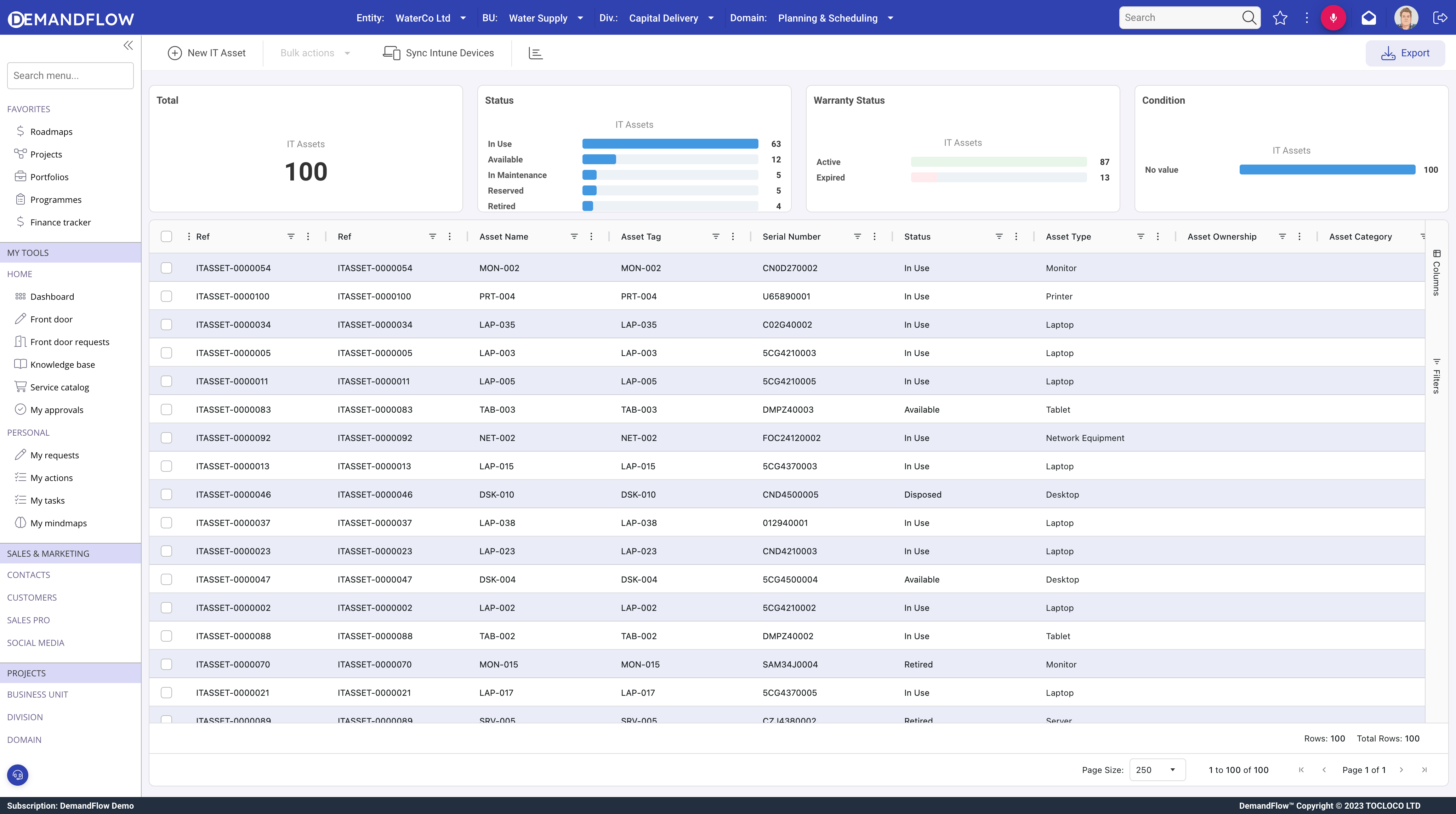
Configuration entities
Before creating your first asset, set up the reference data that populates dropdowns and controls behaviour:
- IT Asset Statuses define the states an asset can be in, along with rules governing assignment, depreciation, and maintenance.
- IT Asset Types categorise assets by function (Laptop, Server, Monitor, etc.).
- Form Factors describe physical specifications for data centre and facilities planning.
- Storage Types standardise storage hardware across your fleet.
- Encryption Types record the encryption methods applied to assets for security compliance.
See Setting up ITAM reference data for a step-by-step guide.
IT Assets Dashboard
The dashboard provides fleet-wide visibility. At a glance you can see total asset counts, assignment rates, warranty alerts, support renewal alerts, and software licence compliance status. See The IT assets dashboard for full details.
Microsoft Intune sync
If your organisation uses Microsoft Intune for device management, DemandFlow can sync devices automatically. This imports hardware details, compliance status, and user assignments directly into IT Asset records, reducing manual data entry. See Syncing devices from Microsoft Intune.
Automation rules
ITAM includes pre-built automation rules that trigger notifications and create audit history records. Examples include alerts when warranties are about to expire, reminders when planned retirement dates approach, and automatic history records when assignment or status changes. See ITAM automations.
Getting started
We recommend this order when setting up ITAM:
- Configure reference data: statuses, types, form factors, storage types, encryption types.
- Create your first IT assets, either manually or via Intune sync.
- Assign assets to staff.
- Set up lifecycle tracking and plan retirements.
- Provision the ITAM automations for warranty alerts and audit history.