Before you create your first IT asset, you need to populate the reference data entities that drive dropdowns, rules, and categorisation across the ITAM module. Without this data, fields such as status, asset type, form factor, storage type, and encryption type will have no options to choose from.
IT Asset Statuses
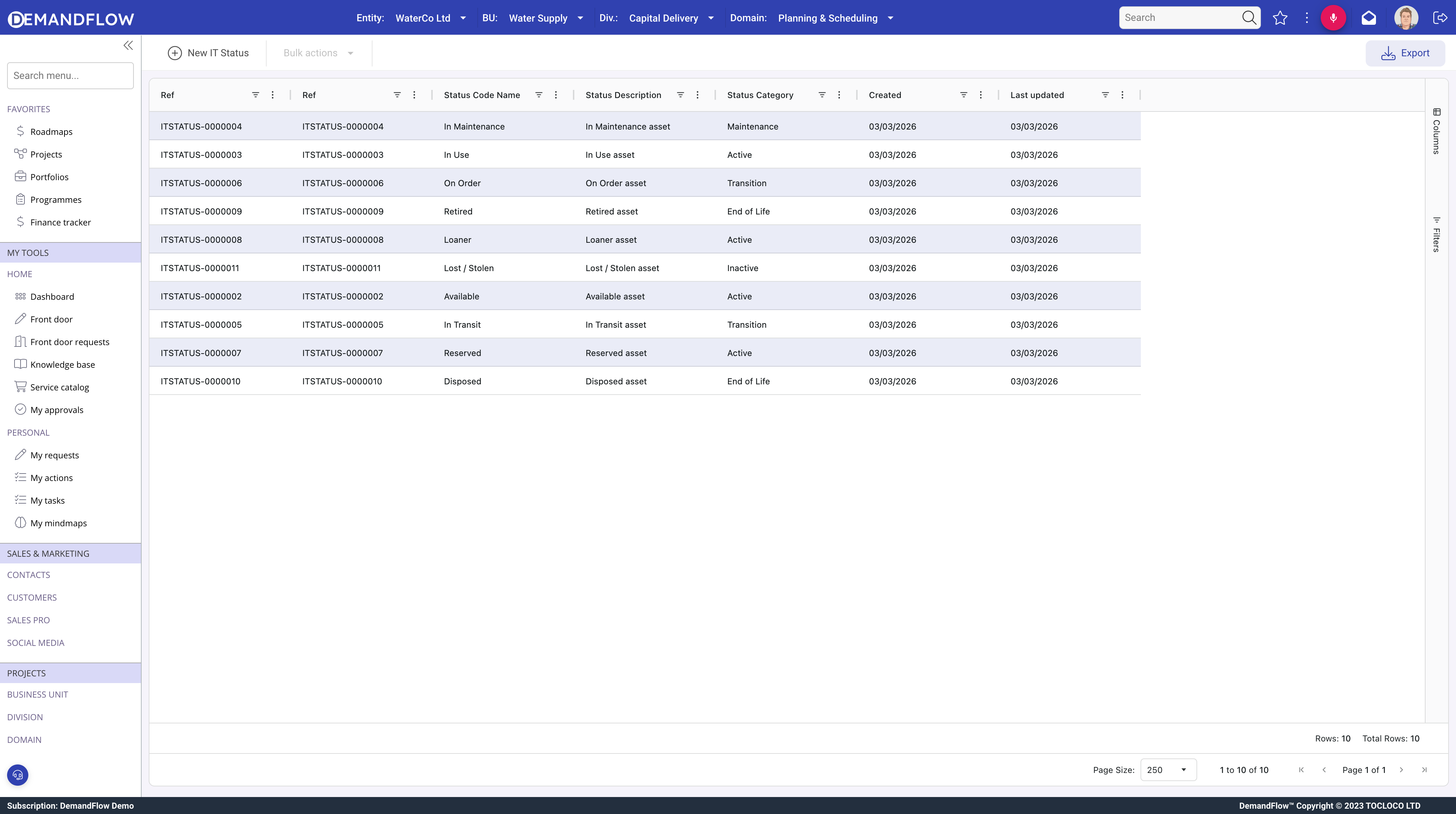
Statuses define the states an asset can occupy during its lifecycle. Navigate to ITAM > IT asset status in the sidebar.
Each status has a name, a category grouping it into a lifecycle stage, a colour for visual identification, a sort order, and a default status flag.
Status categories
- Active: assets in normal operation.
- Inactive: assets not currently deployed (in storage, on order).
- Maintenance: assets undergoing repair or servicing.
- Transition: assets being redeployed, returned, or reassigned.
- End of Life: assets retired or disposed of.
Status rules
The most important part of each status is its rules. These control what can happen to an asset in that status:
- Allow Assignment: can the asset be assigned to a user? If No, the Assign toolbar action is blocked.
- Allow Checkout: can the asset be checked out on a temporary basis?
- Depreciation Enabled: does the asset continue to depreciate financially in this status?
- Maintenance Required: should maintenance schedules apply? Flags the asset on the dashboard.
- Inventory Tracked: is the asset included in inventory counts?
- Alerts Enabled: do automations fire for assets in this status?
Example statuses
- In Use (Active): allow assignment yes, depreciation yes, inventory tracked yes, alerts yes.
- In Storage (Inactive): allow assignment no, depreciation yes, inventory tracked yes, alerts yes.
- Under Repair (Maintenance): allow assignment no, maintenance required yes, depreciation yes.
- Retired (End of Life): all rules disabled. The asset is no longer operational.
IT Asset Types
Navigate to ITAM > IT asset types. Asset types provide a simple taxonomy for categorising hardware. Each type has a name, description, and optional fields for carbon factor per day, emissions scope, and WEEE category for sustainability reporting.
Common examples: Laptop, Desktop, Server, Monitor, Printer, Phone, Tablet, Network Equipment. Create types that match the categories your organisation uses.
Form Factors
Navigate to ITAM > Form factors. Form factors describe the physical characteristics of hardware. Fields include a code (such as 1U, 2U, Tower, SFF), standard and maximum dimensions (width, height, depth in mm), rack units, typical weight, mounting method, cooling requirement, and power connector type.
This data is most useful for data centre and facilities planning, where you need to know how much rack space, cooling, and power a device requires.
Storage Types
Navigate to ITAM > Storage types. Each record defines a storage technology with its category (Primary, Secondary, Cache, Removable, Network), read and write speeds, latency, capacity range, power consumption, MTBF (mean time between failures), interfaces, and compatible form factors.
Use storage types to standardise procurement and ensure consistency across your fleet.
Encryption Types
Navigate to ITAM > Encryption types. Each record has a category (Full Disk, File/Folder, Database, Network/Transport, Application, Hardware, No Encryption), a linked encryption algorithm, a key length, and an active flag.
Tracking encryption at the asset level supports security compliance. When auditors ask which assets have full disk encryption and what algorithm is in use, the data is already recorded on each asset record.
Recommended setup order
- Create IT Asset Statuses first, as these are required on every asset record.
- Create IT Asset Types to categorise your fleet.
- Add Form Factors, Storage Types, and Encryption Types as needed for your environment.
Once reference data is in place, proceed to Creating and registering IT assets.