A disposition order groups assets for coordinated disposal. Create one order per batch: a hardware refresh cycle, an office closure, a data centre decommission, or an ad-hoc disposal.
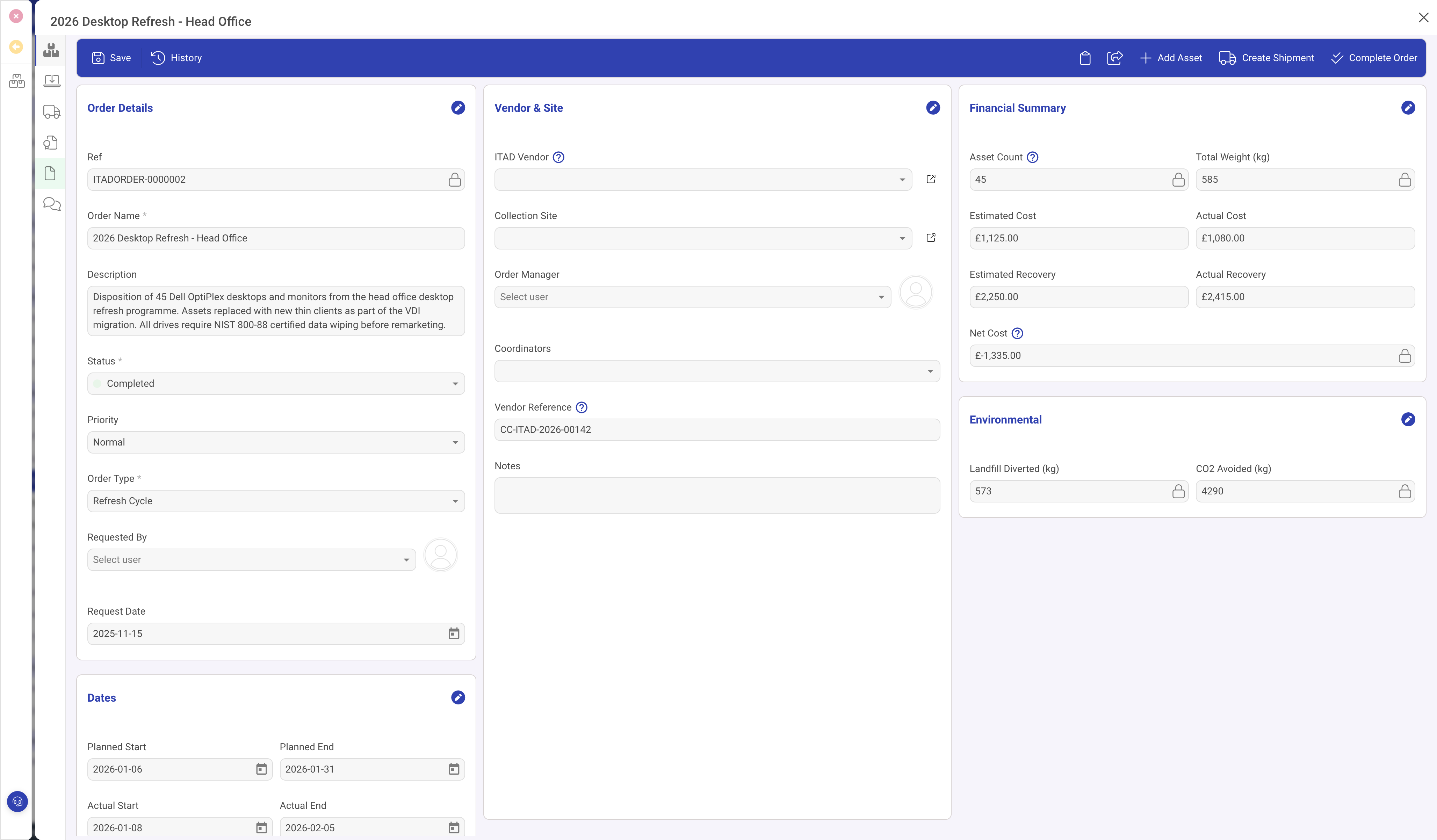
Creating the order
- Navigate to ITAD > Disposition orders and click New Disposition Order.
- Enter a Name that describes the batch (e.g. "2026 Desktop Refresh", "Exeter Office Closure").
- Add a Description with context: what is being disposed, why, and any special requirements.
- Set the Order Type: Refresh Cycle, Office Closure, Data Centre Decommission, End of Life, or Ad-hoc.
- Set Priority and Status (starts as Draft).
- Save.
Status workflow
Orders move through five statuses:
- Draft: order is being planned. Assets can be added and removed freely.
- Planned: scope is agreed. Dates and vendor are confirmed.
- In Progress: assets are being collected, wiped, and processed.
- Completed: all assets processed, certificates issued.
- Closed: final review done, order archived.
Vendor and site
- ITAD Vendor: the disposal partner handling the processing.
- Collection Site: where the assets will be collected from.
- Order Manager: the person responsible for this order.
- Vendor Reference: the vendor's own job or ticket number.
Financial summary
The right column tracks costs and recovery:
- Asset Count and Total Weight: calculated from line items.
- Estimated Cost and Actual Cost: what you expected to pay vs what you actually paid.
- Estimated Recovery and Actual Recovery: expected resale/remarketing value vs actual.
- Net Cost: actual cost minus actual recovery. A negative number means the disposal generated a net profit.
Environmental impact
- Landfill Diverted (kg): weight of material diverted from landfill through recycling or remarketing.
- CO2 Avoided (kg): estimated carbon emissions avoided by recycling rather than manufacturing new.
Panels
The order has five panels beyond General:
- Assets: the disposition line items. See Triaging and processing assets.
- Shipments: collection and transport records. See Shipments and chain of custody.
- Certificates: compliance certificates. See Certificates and compliance.
- Documents: file attachments (quotes, contracts, photos).
- Notes: activity timeline.
Toolbar actions
- Add Asset: adds an IT Asset to the order as a new line item.
- Create Shipment: creates a shipment record for collection logistics.
- Complete Order: finalises the order once all processing is done.