Patent costs add up quickly: filing fees, prosecution fees, attorney charges, translations, annuities. Logging each cost against the patent it relates to (and, where it applies, the specific jurisdiction application) means you always know what a patent has cost to date and where the money went.
This guide covers adding a single cost item. The same approach works whether you are recording an invoice received or a future fee you want to plan for.
Open the patent and go to Costs
- Open the patent from Patents > Patents.
- Click the Costs panel on the left.
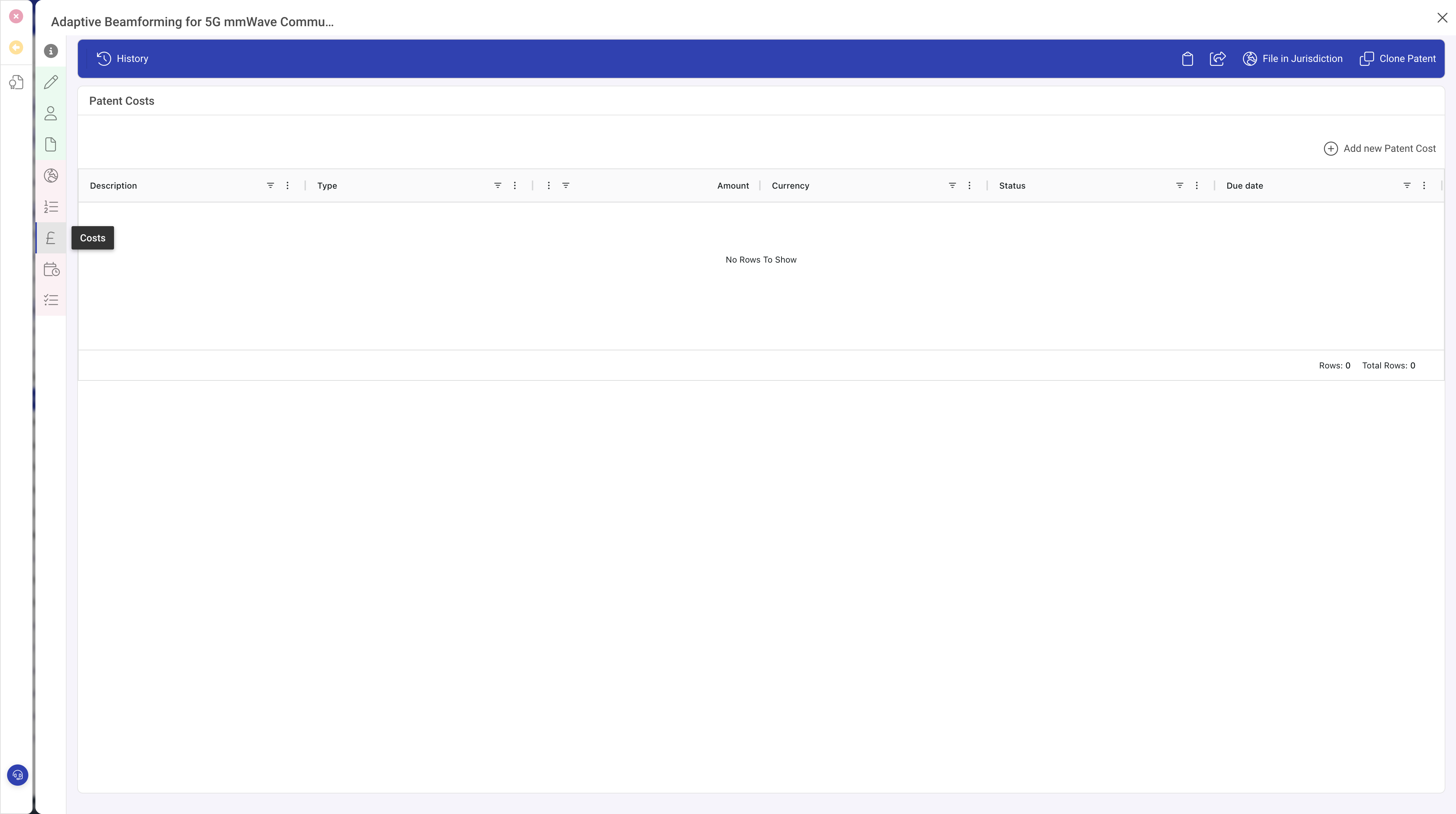
Add a cost
Click Add new Patent Cost in the Costs toolbar. A popout opens on the right with the cost form.
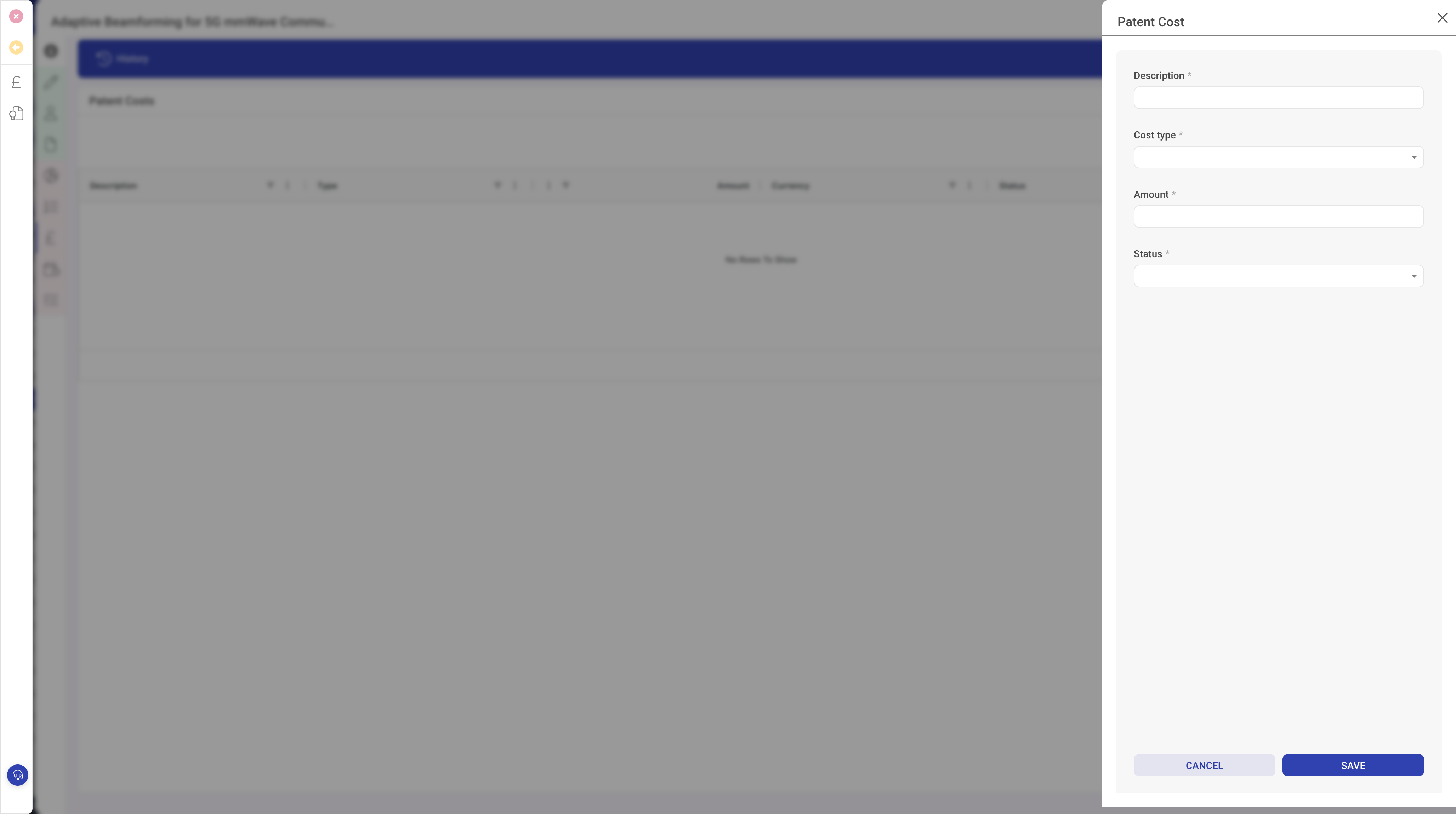
In the popout:
- Enter a clear Description, for example UK filing fee or PCT search fee or EP attorney fees Q4.
- Pick the Cost type: Filing fee, Prosecution, Attorney, Annuity, Translation, or Other.
- Enter the Amount and Currency. Use the currency that the invoice was raised in; any conversion can happen downstream in reporting.
- Set the Payment status: Pending, Paid, Overdue or Disputed.
- Click Save.
Open the cost again to fill in the optional detail fields:
Dates
- Date incurred: when the work was done or the fee was triggered.
- Date due: when payment is expected.
- Date paid: when it actually cleared.
References
- Invoice reference: the invoice number from the vendor. Useful when finance has a query.
- Vendor: the firm or office that raised the charge. Attorney firm, patent office, translation agency, and so on.
- Jurisdiction application: pick the specific application this cost belongs to if it is not a general patent-level cost. This lets you answer questions like how much have we spent on the EP application so far?.
- Notes: free text for any context you want to keep.
The Costs list on the patent updates as you save, and the patent's Actual total cost field recalculates.
Tips
- Create the cost record as soon as the invoice arrives, even if it is not paid yet. That way your forecast view always includes real numbers rather than estimates.
- Link annuity fees to the jurisdiction application they maintain so you can see the full cost of keeping a single country's filing in force.
- If the same vendor invoices for multiple patents on one bill, create a separate cost record per patent so each patent's total stays accurate.
What to do next
Once a patent is granted, the bulk of ongoing costs will be annuities. See Scheduling and paying renewals for how to plan those in advance.