A deployed platform record represents a specific live environment running a platform type. This is where the operational detail lives: deployment model, vendor, ownership, criticality, support costs, and linked infrastructure.
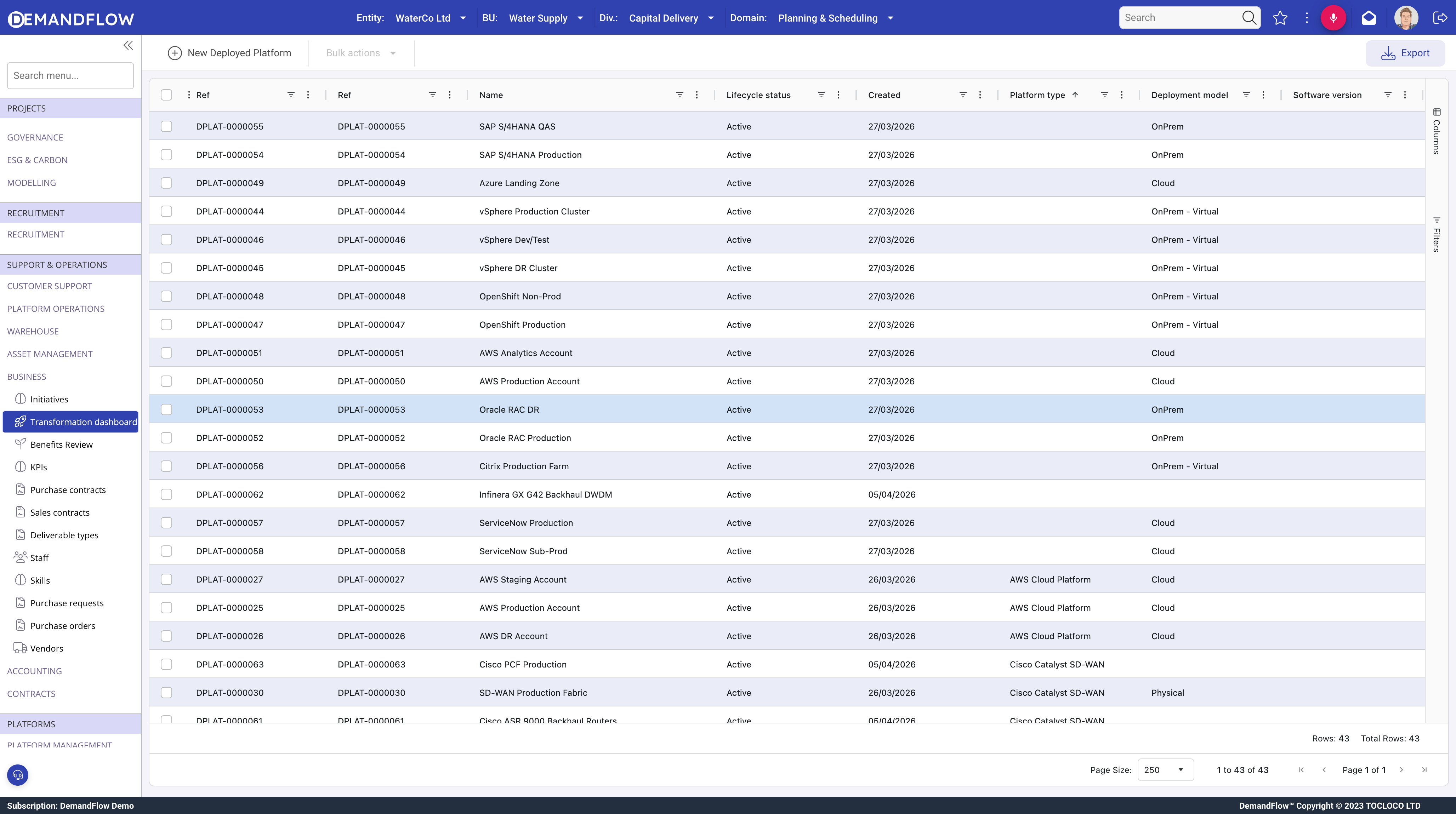
Creating a deployed platform
- Navigate to Platform Management > IT Platforms > Deployed platforms.
- Click New.
- Enter a Name that identifies the environment (e.g. "SAP S/4HANA Production", "ServiceNow ITSM", "Palo Alto NGFW DR").
- Platform type (required): select the platform type this instance belongs to.
- Lifecycle status: Active, Inactive, Planned, In Deployment, Retired, or Deprecated.
- Save, then populate the remaining panels.
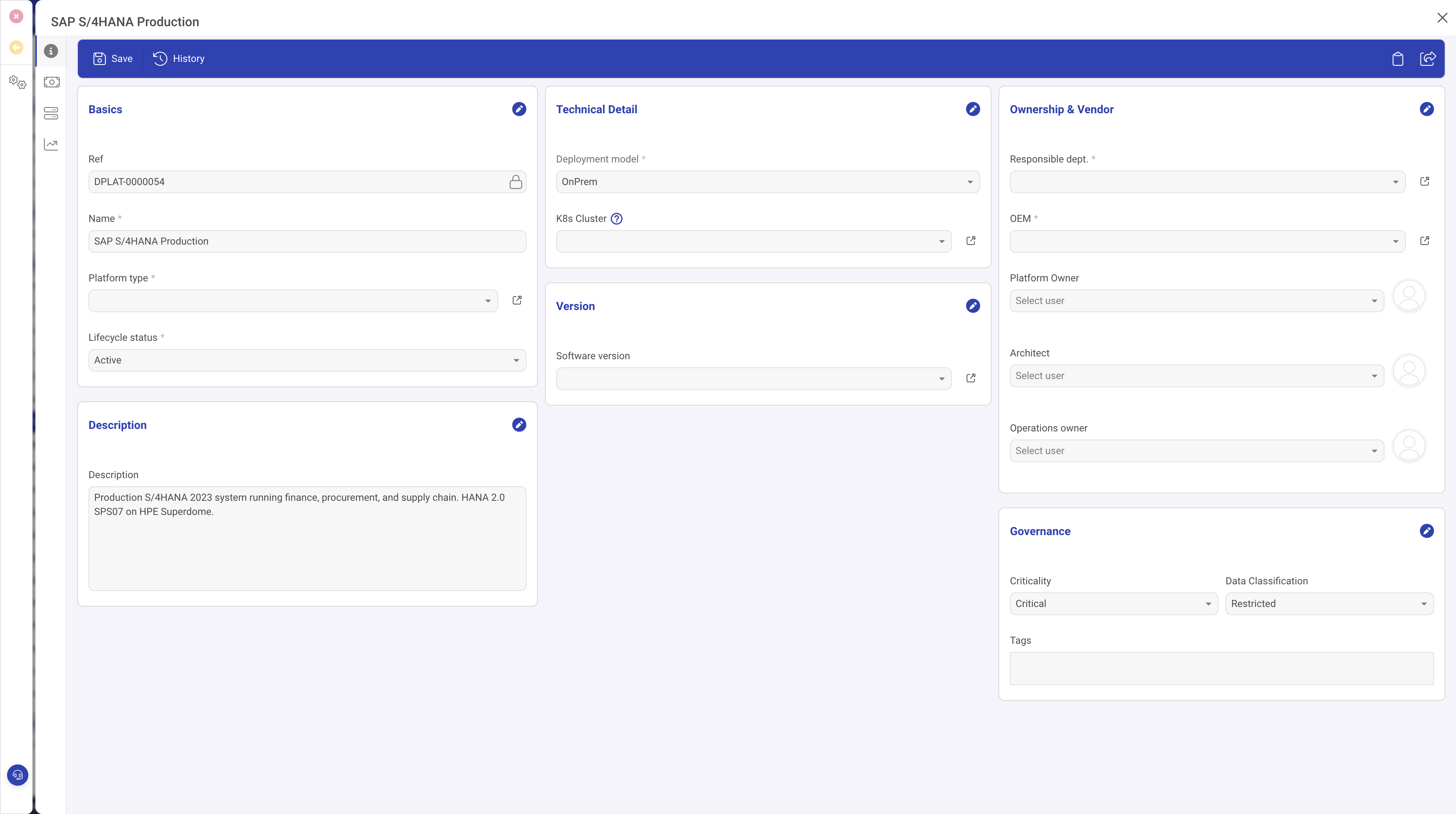
The General panel
The General panel is organised into three columns:
Basics (left)
- Name and Ref (auto-generated reference).
- Platform type (required): links to the catalogue entry.
- Lifecycle status: tracks where the platform is in its operational life.
- Description: what this specific deployment does and any environment-specific notes.
Technical Detail (centre)
- Deployment model (required): Physical, On-Premise, On-Premise Virtual, On-Premise Software, Cloud, or Hybrid. This drives cost and operational patterns.
- K8s Cluster: link to a Kubernetes cluster if the platform runs on one.
- Hypervisor Cluster: link to a hypervisor cluster (visible only when the deployment model is virtualised).
- Software version: the current software version running on this platform, selected from the SW versions linked to this deployed platform.
Ownership and Vendor (right)
- Responsible department (required): the department that owns this platform.
- OEM (required): the vendor or manufacturer.
- Platform Owner, Architect, Operations owner: the key people responsible for this platform.
Governance
- Criticality: Low, Medium, High, or Critical. Used for impact assessment and prioritisation.
- Data Classification: Public, Internal, Confidential, or Restricted. Drives security and compliance requirements.
- Tags: freeform labels for filtering and grouping.
Support costs panel
The support costs panel tracks ongoing operational expenditure for the platform. Each cost line records a name, spend type, vendor, and contract reference with editable actual costs. This feeds into OPEX tracking and reporting.
Infrastructure panel
Two related lists link the deployed platform to physical and virtual infrastructure:
- Platform Assets: links to compute inventory records (servers, appliances) that host this platform.
- Hypervisor Clusters: links to hypervisor clusters that provide virtualisation for this platform.
Tips
- Create one deployed platform per environment: Production, DR, Pre-prod, QA, Dev. Each has different ownership, criticality, and cost profiles.
- Always set criticality and data classification. These drive decision-making when changes or incidents affect the platform.
- Link infrastructure assets so you can trace which physical or virtual resources support each platform.
- Keep the ownership fields current. When people move roles, update Platform Owner, Architect, and Operations owner so escalation paths remain accurate.
What to do next
Add software version records to track releases and lifecycle dates. See Platform software versions and the SW timeline.