Overview
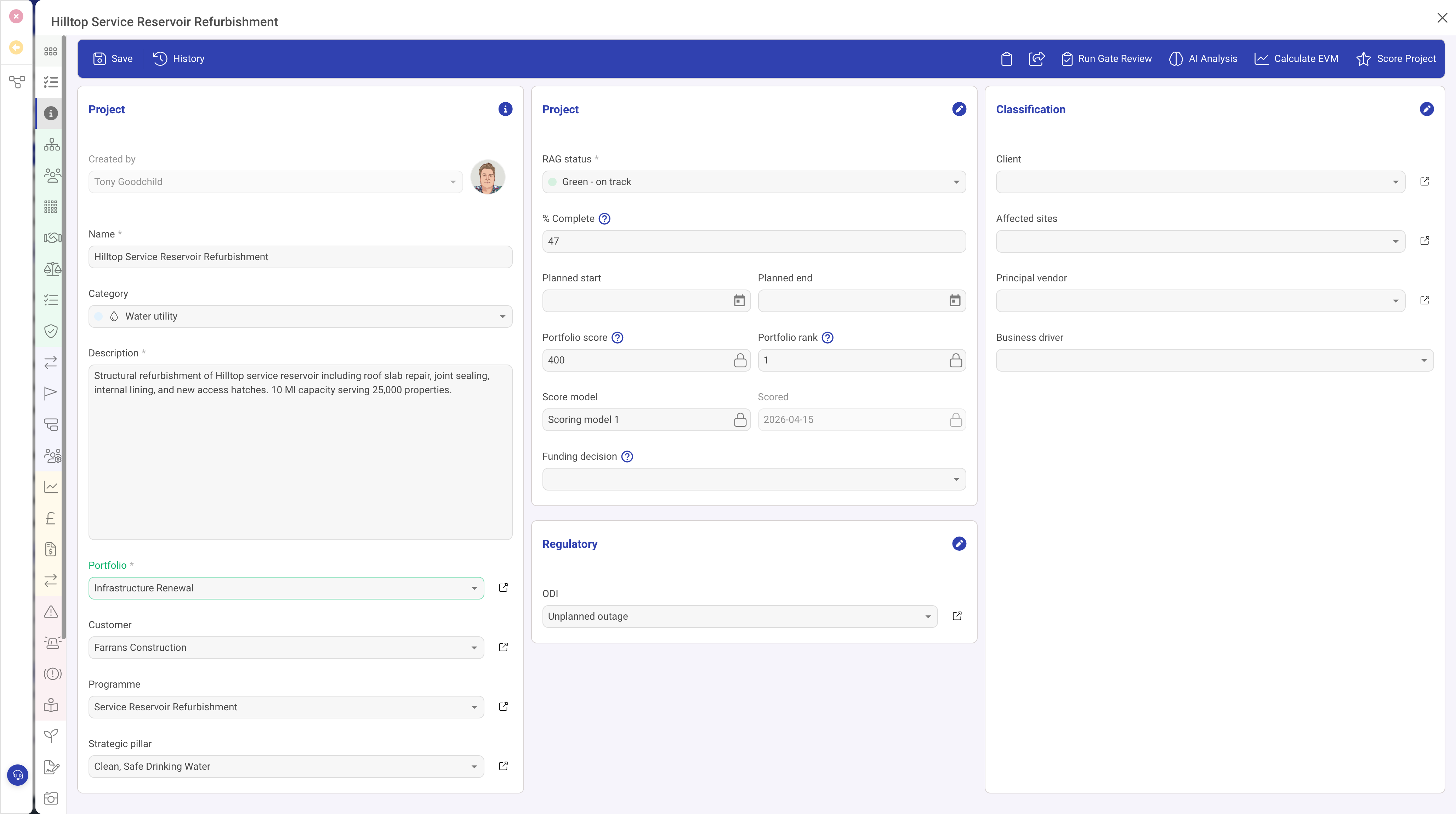
The Object Lookup field type (objectLookup) creates a reference from the current record to a record of another entity type. It provides a searchable picker that allows users to find and select an existing record, or optionally create a new one on the spot.
Object Lookups are the primary mechanism for creating relationships between records that are not parent-child hierarchies. They enable cross-referencing, categorisation, and association across entity types.
Properties
| Property | Required | Description |
|---|---|---|
| ID | Yes | The field identifier. |
| Type | Yes | Must be set to objectLookup |
| Name | Yes | The display label. |
| Entity | Yes | The entity type code of the records that can be looked up (e.g. "CLIENT", "PPL", "KBCATPUBLIC"). |
| Width | No | The percentage width. |
| Required | No | When true, a record must be selected. |
| Read Only | No | When true, the linked record is displayed but cannot be changed. |
| Create | No | When true, a "Create New" option appears in the picker, allowing users to create a new record of the target entity type directly from the lookup field. |
| Filter | No | Filter criteria that restricts which records appear in the lookup picker. Useful for showing only active records, records of a certain status, or records belonging to a specific category. |
| Multi | No | When true, allows selecting multiple records. The field stores an array of references rather than a single reference. |
| Grid | No | When true, appears as a column in list views, showing the referenced record's name. |
| Help | No | Tooltip text. |
| Visibility | No | A condition controlling visibility. |
The Lookup Picker
When a user clicks on an Object Lookup field, a search picker opens. The picker:
- Shows a list of records from the target entity type
- Provides a search box for finding records by name
- Displays key identifying fields for each record
- If Create is enabled, includes a "Create New" button that opens a record editor for the target entity
Simple Object Lookup
DemandFlow also offers a Simple Object Lookup (simpleObjectLookup) variant that provides a streamlined lookup experience without some of the advanced features. It is suitable for simple references where the full Object Lookup picker is not necessary.
Filters
The Filter property allows you to restrict the records shown in the lookup picker. This is useful for:
- Showing only "Active" records (filtering by status)
- Restricting to records of a certain category or type
- Limiting results to records relevant to the current context
Use Cases
- Category assignment — linking a record to a category entity (e.g. Article to Category)
- Client or customer reference — associating a project or task with a client record
- Parent or container reference — linking to a parent programme, portfolio, or department
- Responsible team or department — linking to an organisational unit
- Template reference — selecting a template record to base new work on
Best Practices
- Enable Create when users are likely to need to create new lookup targets while filling in the form (e.g. adding a new category that does not exist yet)
- Use Filter to prevent inactive or irrelevant records from cluttering the picker
- Enable Grid so the linked record is visible in list views for filtering and sorting
- Choose between Object Lookup and Related List based on the relationship direction: use Object Lookup when the current record references a target; use Related List when you want to show all records that reference the current one