Overview
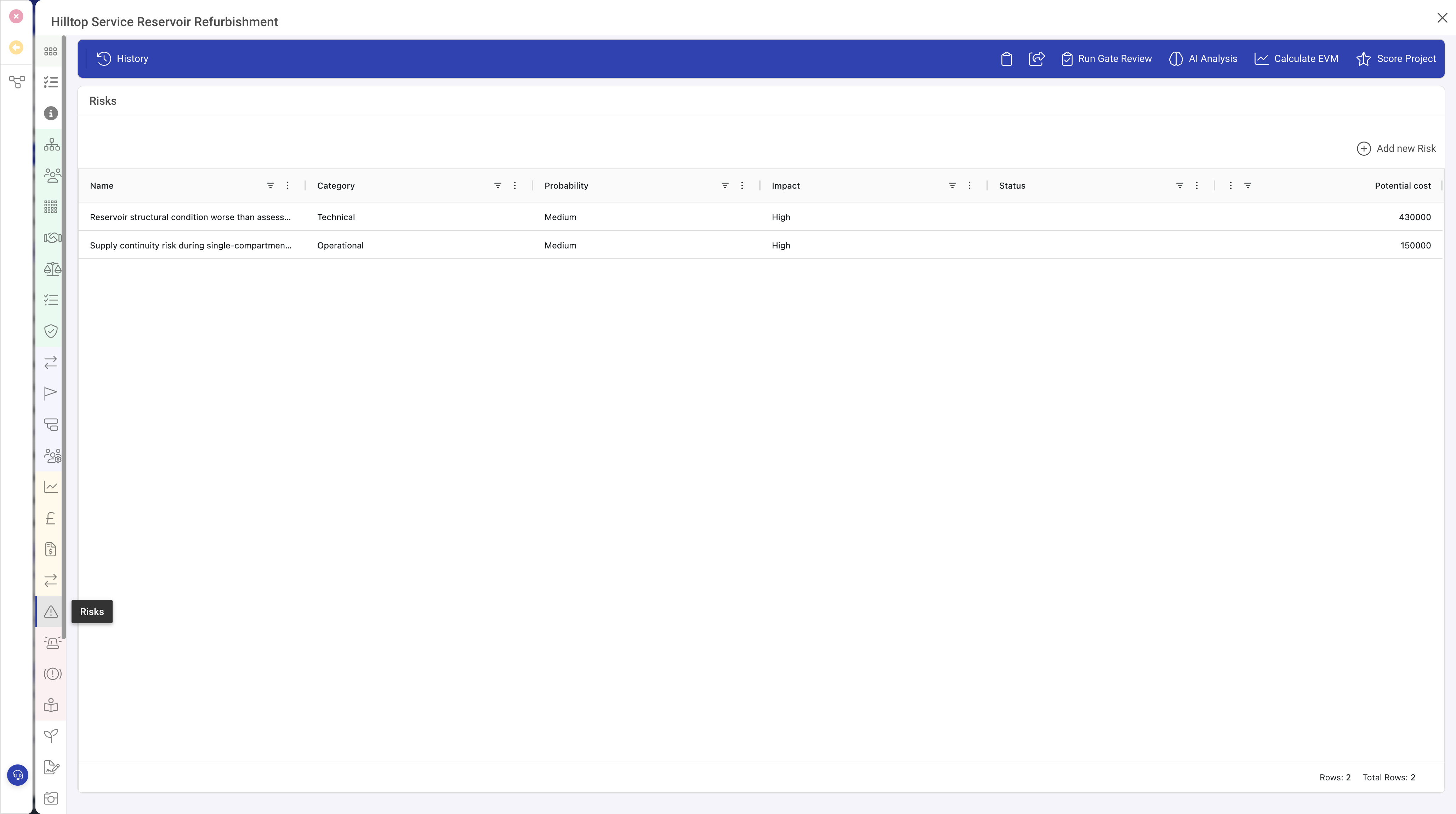
The Related List row type displays a data grid showing records from another entity type that are related to the current record. This is one of the most commonly used row types for showing parent-child or associated data relationships.
For example, a Project record might include a Related List showing all the Tasks associated with that project, or a Client record might show all the Contacts belonging to that client.
When to Use
Use the Related List row type when you need to:
- Show child records that belong to the current record (e.g. Tasks under a Project)
- Display associated records from another entity type
- Provide a grid view of related data with sorting, filtering, and column customisation
- Allow users to create new related records directly from the parent record
- Enable click-through navigation to open related records
Properties
| Property | Required | Description |
|---|---|---|
| Type | Yes | Must be set to relatedlist |
| Entity | Yes | The entity type code of the related records to display (e.g. "TASK", "PPL", "ACTION") |
| Header | No | A heading displayed above the grid. If not set, the entity's plural name is used. |
| Icon | No | An icon displayed alongside the header. |
| Relationship | Yes | Defines how the related records are connected to the current record. See the Relationship Configuration section below. |
| Fields | No | An array of field definitions that determine which columns appear in the grid. When omitted, the system uses the fields marked with grid: true in the related entity's definition. |
| Click | No | When set to true, clicking a row in the grid opens that record for editing. Defaults to true for most configurations. |
| Min Height | No | The minimum height of the grid in pixels. Useful for ensuring the grid has enough space when there are few records. |
| Full Height | No | When enabled, the grid expands to fill available vertical space. |
| Metrics | No | When set to true, displays a summary metrics row above the grid showing aggregated data. |
| Metrics Count | No | The number of metric columns to display when metrics are enabled. |
| Metrics Function | No | The name of the function used to calculate the metric values. |
| Secondary Field | No | A field whose value is displayed as a secondary label when creating new related records. |
| Visibility | No | A condition controlling when this related list is visible. |
Relationship Configuration
The relationship property defines how the system finds records related to the current one. It has several sub-properties:
| Property | Description |
|---|---|
| Type | The relationship mechanism. Common types include: comboKey (hierarchical parent-child), link (many-to-many via link records), lookup (records referencing this one via a field), and reverse (reverse lookup). |
| Property | The field on the related records that stores the relationship reference. |
| Format | For comboKey relationships, the format pattern that describes the key hierarchy (e.g. "SUB|CLIENT|PPL" means the related records are People under a Client within a Subscription). |
Relationship Types Explained
ComboKey (Hierarchical)
The most common relationship type. Used when related records are children of the current record in a hierarchy. The system queries for records whose key starts with the current record's position in the hierarchy.
Example: A Project contains Tasks. The Task records store a reference to their parent Project in their hierarchy key.
Link (Many-to-Many)
Used when two records can be associated without a parent-child relationship. Link records act as a bridge between two entity types, allowing many-to-many relationships.
Example: A Project can be linked to multiple Stakeholders, and a Stakeholder can be linked to multiple Projects.
Lookup (Field Reference)
Used when related records contain a field that references the current record's ID. The system searches for records where the specified field matches the current record.
Grid Columns
The columns displayed in the Related List grid are determined by the Fields array. If no fields are specified, the system uses all fields from the related entity's definition that have grid: true set.
When specifying custom fields, each field definition follows the same structure as form fields but is rendered as a grid column. The grid supports sorting by clicking column headers and filtering through the grid's built-in filter tools.
Creating Related Records
Related Lists typically include an Add button that allows users to create a new record of the related entity type, automatically linked to the current record. The new record editor opens in a panel, and upon saving, the grid refreshes to show the newly created record.