What is a Portal?
A portal in DemandFlow is a customer-facing, self-service website that you can set up for your external users. Portals give your customers, clients, or contractors a branded online destination where they can find answers, submit requests, and interact with your organisation without needing access to the main DemandFlow application.
Each portal lives at its own unique web address following the pattern {your-subdomain}.portal.demandflow.com, and can be fully branded with your organisation's logo, colours, and messaging.
What Can a Portal Do?
DemandFlow supports two types of portal, each designed for a different audience:
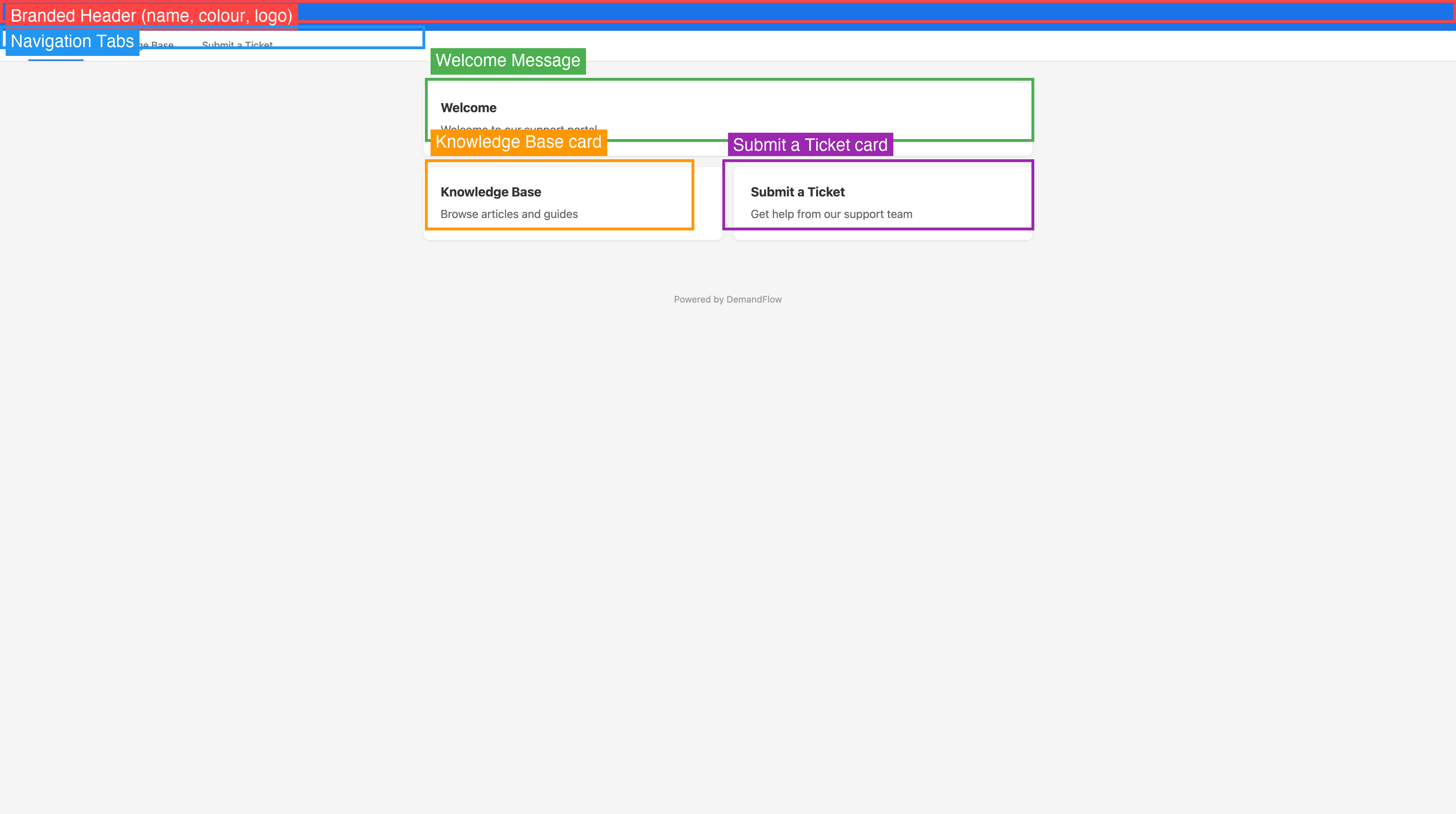
IT Support Portal
An IT Support portal provides your end users with a self-service hub for getting help and finding information. It includes:
- Knowledge Base — a searchable library of published articles organised by category, allowing users to find answers to common questions without raising a ticket
- Ticket Submission — a customisable form where users can submit support requests, report issues, or ask questions
- User Accounts — optional account registration so users can log in, track their submissions, and receive updates
Contractor Portal
A Contractor portal provides external contractors and suppliers with a dedicated interface for submitting operational documents. It includes:
- Timesheet Submission — submit and manage timesheets
- Expense Submission — submit expense claims with supporting documents
- Invoice Submission — submit invoices for processing
Key Features
| Feature | Description |
|---|---|
| Custom Branding | Upload your logo, set your brand colour, and write a custom welcome message |
| Unique URL | Each portal gets its own subdomain at {name}.portal.demandflow.com |
| Multiple Portals | Create separate portals for different audiences, departments, or brands |
| No-Code Setup | Everything is configured through the DemandFlow interface — no coding required |
| User Accounts | Optional registration and login for portal visitors |
| Analytics | Track article views, ratings, and helpfulness votes |
| Legal Pages | Add your own Privacy Policy and Terms of Use |
| CAPTCHA Protection | Protect ticket forms from spam with CAPTCHA verification |
Who Uses Portals?
Portals are used by organisations that need to provide external-facing self-service capabilities:
- IT departments offering a help desk to employees or customers
- Service providers giving clients access to a knowledge base and ticket system
- Project organisations providing contractors with submission interfaces
- Support teams wanting to reduce ticket volume by publishing searchable help articles
Getting Started
Setting up a portal involves a few straightforward steps:
- Create the portal — choose a type, name, and subdomain
- Brand it — upload your logo, set your colour, and write a welcome message
- Enable features — turn on the knowledge base, ticket submission, or contractor features
- Publish content — create knowledge base categories and articles
- Customise the ticket form — choose which fields appear and set required/optional rules
- Go live — enable the portal and share the URL with your users
Each of these steps is covered in detail in the articles that follow.