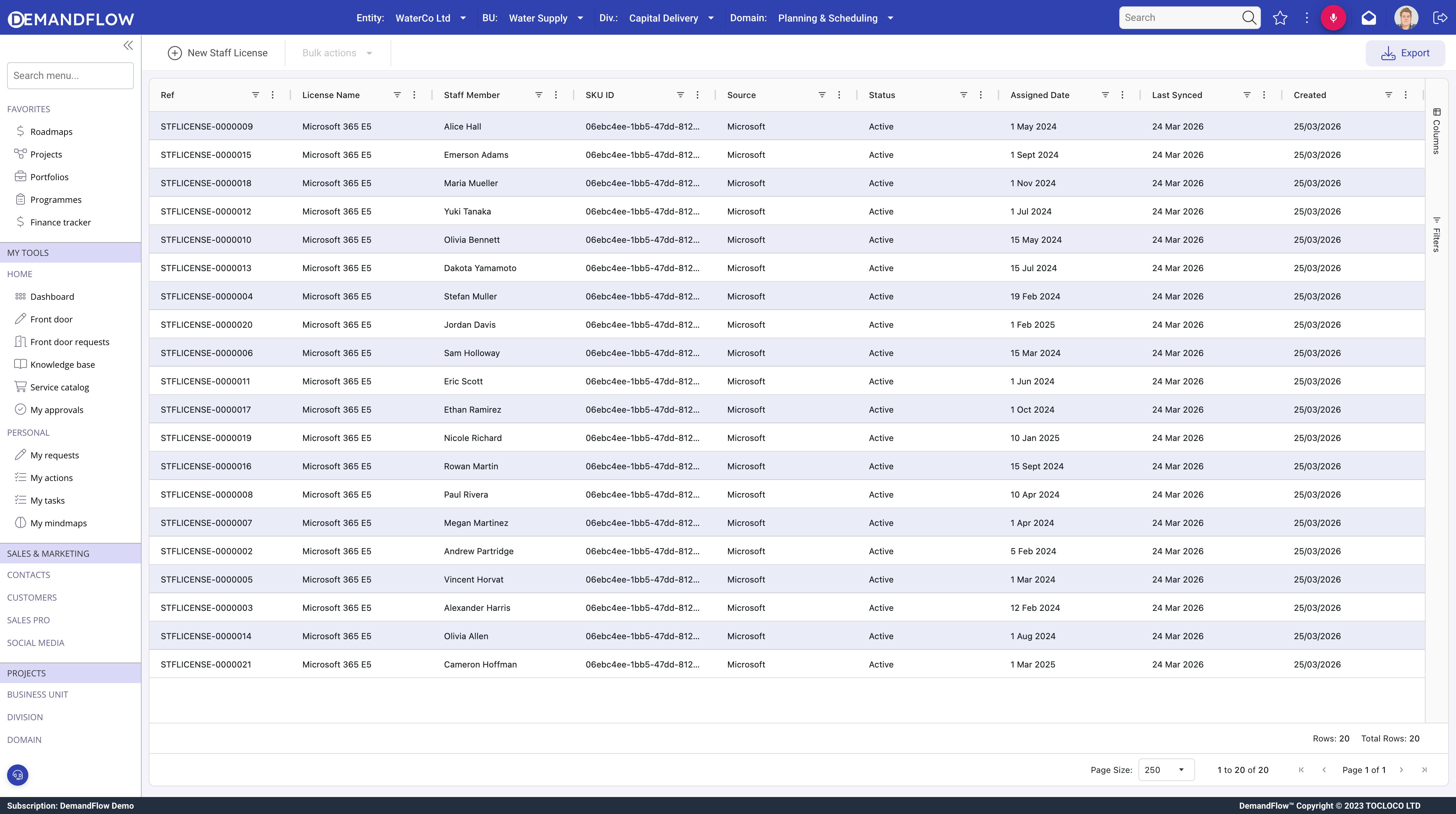
Staff licence records (ITAM > Staff licenses) link a person to a cloud subscription or software licence, enabling user-based reconciliation independent of devices.
When to use staff licences
- Cloud subscriptions assigned per user (e.g. Microsoft 365, Google Workspace).
- Named-user licence models where entitlement follows the person, not a device.
- Any licence where you need to reconcile user counts against purchased quantities.
Fields
- Staff (required): the person.
- SKU ID: Microsoft SKU identifier for sync matching.
- Source: Microsoft or Manual.
- Status: Active or Removed.
- Assigned Date and Last Sync Date (both read-only).
- License: lookup to the licence entitlement record.
Microsoft licence sync
The sync reads user licence assignments from Microsoft 365 and creates or updates staff licence records automatically. It matches by staff member and SKU ID, creates new records for untracked assignments, updates sync dates, and marks removed assignments as Removed.
For non-Microsoft licences, create records manually.
Reconciliation
Each active staff licence linked to a licence increments that licence's used quantity, keeping the compliance picture accurate for user-based licences.
Tips
- Run the Microsoft sync regularly.
- Review Removed records for reclaimable licences.
- Ensure the License lookup is populated so allocations count towards used quantity.