Three panels on the IT asset record capture the technical identity of each device: its network presence, virtualisation context, and installed software.
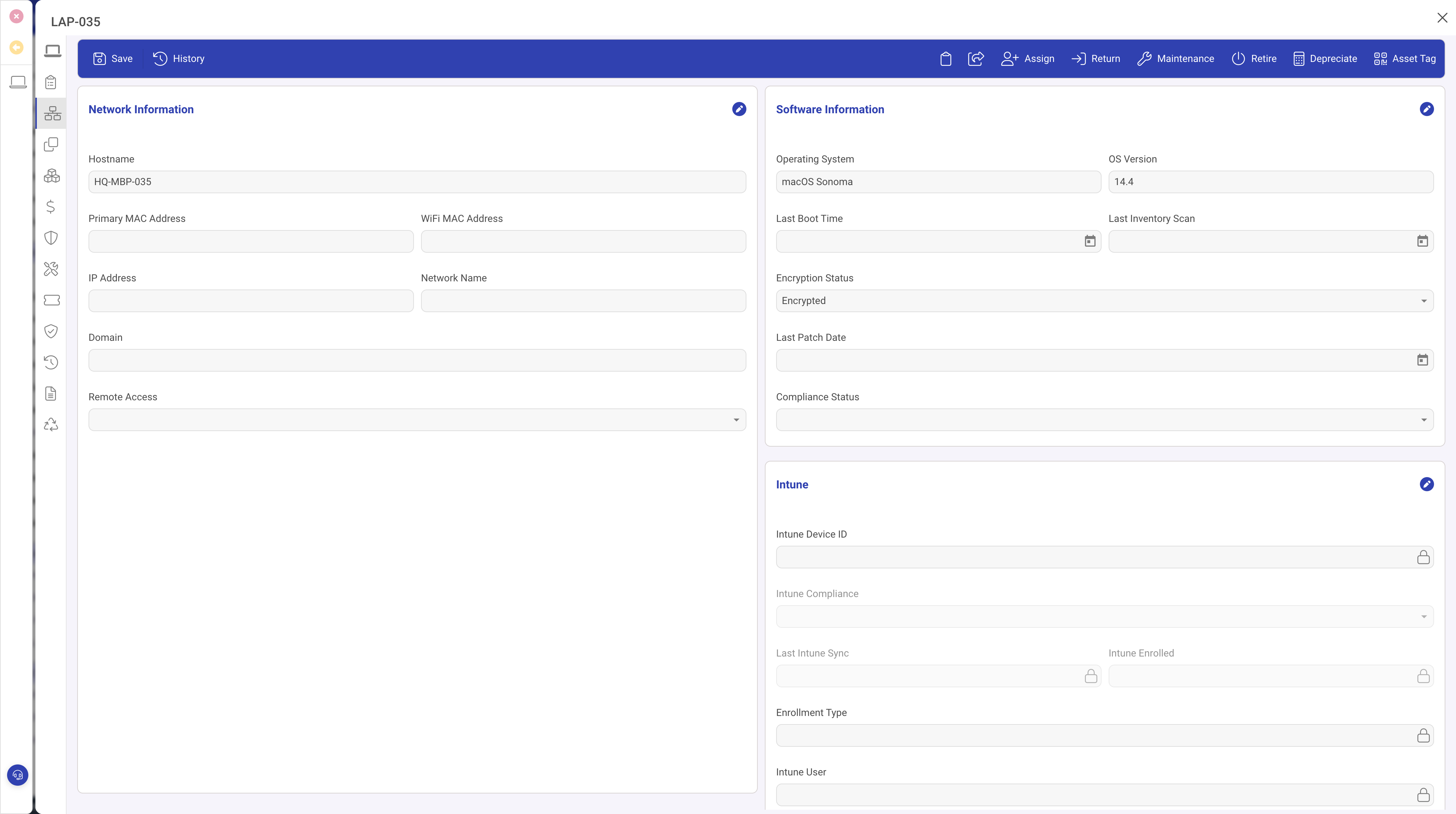
Network and Software panel
This panel identifies the asset on your network and records its operating system details:
- Hostname and Network Domain: the device's network name.
- IP Address and MAC Address: current network configuration.
- OS Name, OS Version, OS Build: operating system details.
- OS Licence Key: stored for audit purposes.
- Last Patch Date: when the device was last patched, supporting security compliance.
- Antivirus Software: the endpoint protection product installed.
Virtualisation panel
When Is Virtual Machine is set to true, the asset represents a VM rather than physical hardware. Additional fields become relevant:
- Host System: the physical host running this VM.
- VM Cluster: the hypervisor cluster the VM belongs to.
- VM Resource Pool: the resource pool governing CPU and memory allocation.
- VM Datastore: where the VM disk files reside.
- Network Port Group: the virtual network segment.
This information supports capacity planning. When you know which physical host runs each VM, you can assess over-committed hosts, plan migrations, and understand the blast radius of hardware failures.
Installed Software panel
A related list of software installation records showing every application installed on this device, with version information and installation dates. This data supports licence compliance by letting you compare installations against licence entitlements.
Why these panels matter
- Network identity for inventory audits and security scanning.
- Virtualisation context for capacity planning.
- Installed software for licence compliance.