The Financial panel on each IT asset record tracks purchase details, cost allocation, and depreciation.
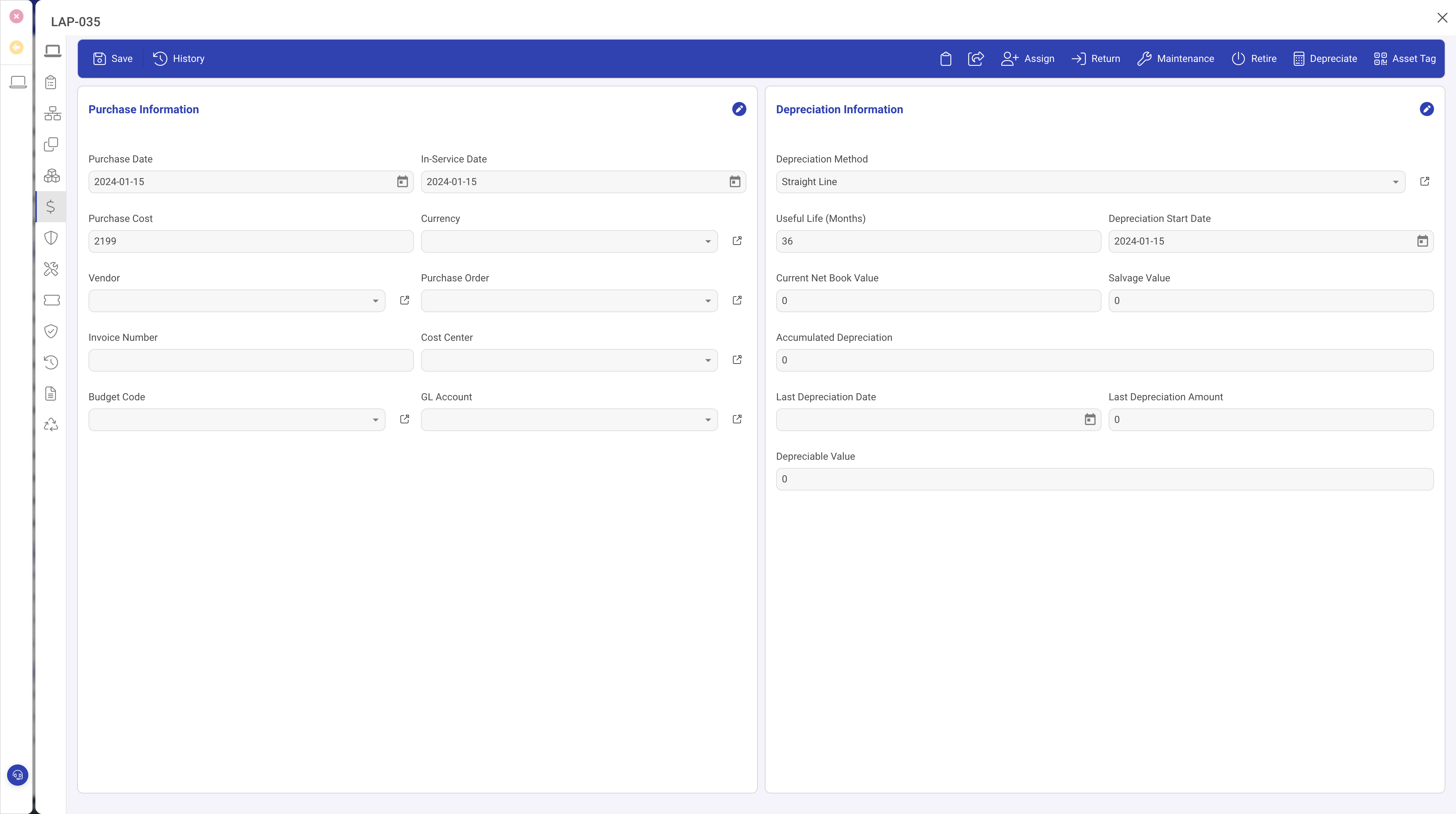
Purchase Information
- Purchase Date: date of acquisition.
- Vendor: where you bought it (may differ from the manufacturer).
- Purchase Order: link to the PO record.
- Purchase Price and Currency: original cost.
- Invoice Number and Receipt Number: audit references.
Cost Allocation
- Cost Centre: for departmental reporting.
- Budget Code: the budget line the purchase was charged to.
- GL Account: the correct general ledger account.
- Department: which department owns the cost.
Depreciation
- Depreciation Method: straight line, declining balance, or other methods from your lookup table.
- Useful Life (months): expected service life.
- Residual Value: estimated value at end of life.
- Depreciation Start Date: when depreciation begins (often the purchase date).
- Book Value (read-only): current value after depreciation.
- Accumulated Depreciation (read-only): total depreciation applied to date.
Running depreciation
The Depreciate toolbar action on an individual asset recalculates its depreciation and updates the book value.
For month-end processing, use Bulk Depreciate from the grid. Select the assets to process, then run the bulk action to apply one period of depreciation to every selected asset.
Tips
- Set depreciation method, useful life, and start date at time of acquisition.
- Review residual values periodically. Incorrect values skew book value calculations.
- Sort by book value or depreciation end date to identify assets approaching full depreciation.