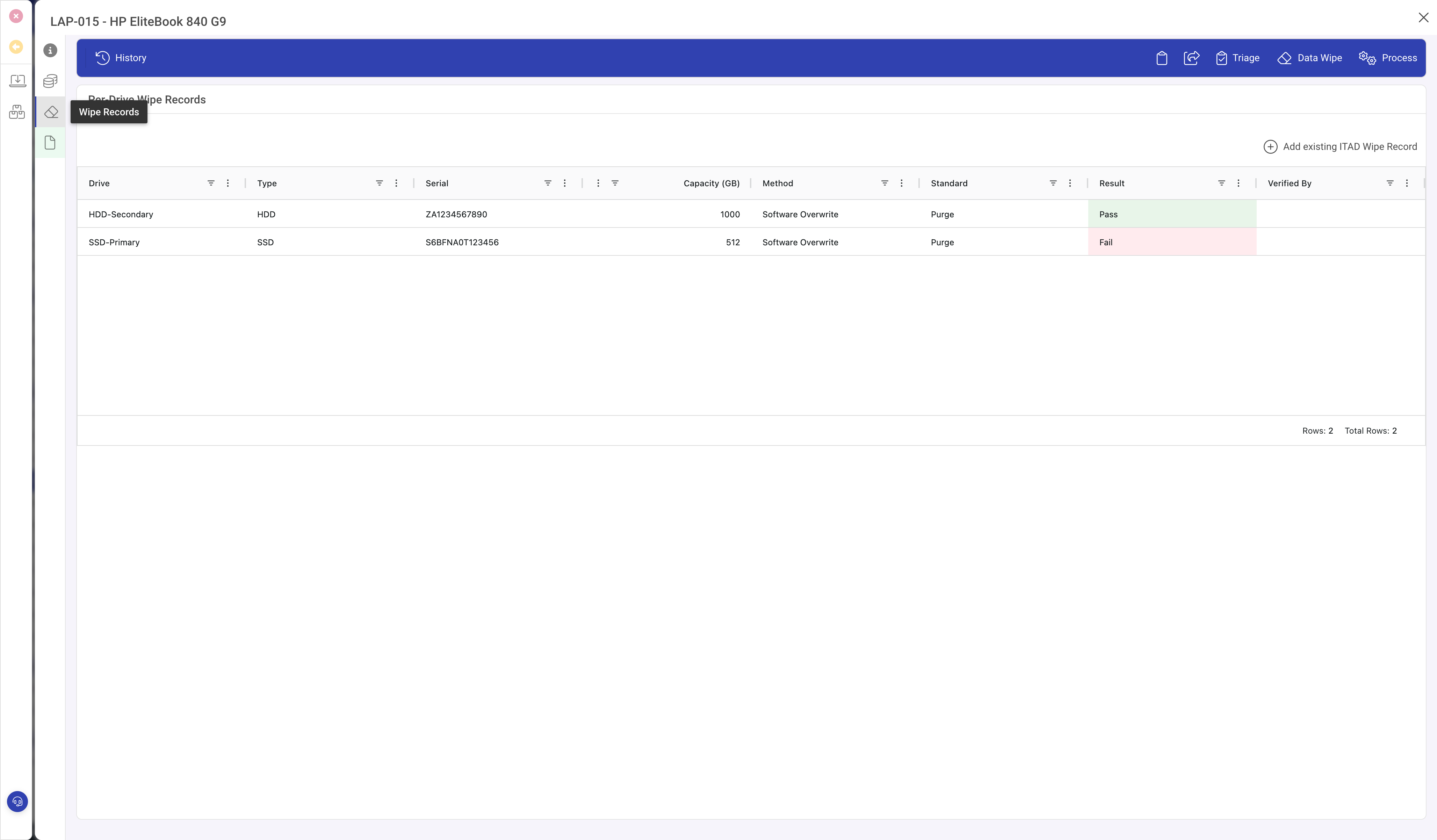
A single IT asset may contain multiple storage devices (a laptop with an SSD and an HDD, a server with a RAID array). Each drive requires its own wipe verification for compliance. Per-drive wipe records provide this granularity.
Creating wipe records
Use the Data Wipe toolbar action on a line item to create wipe records for each drive in the asset. Each record captures the drive identity, the wipe process, and the result.
The wipe record detail
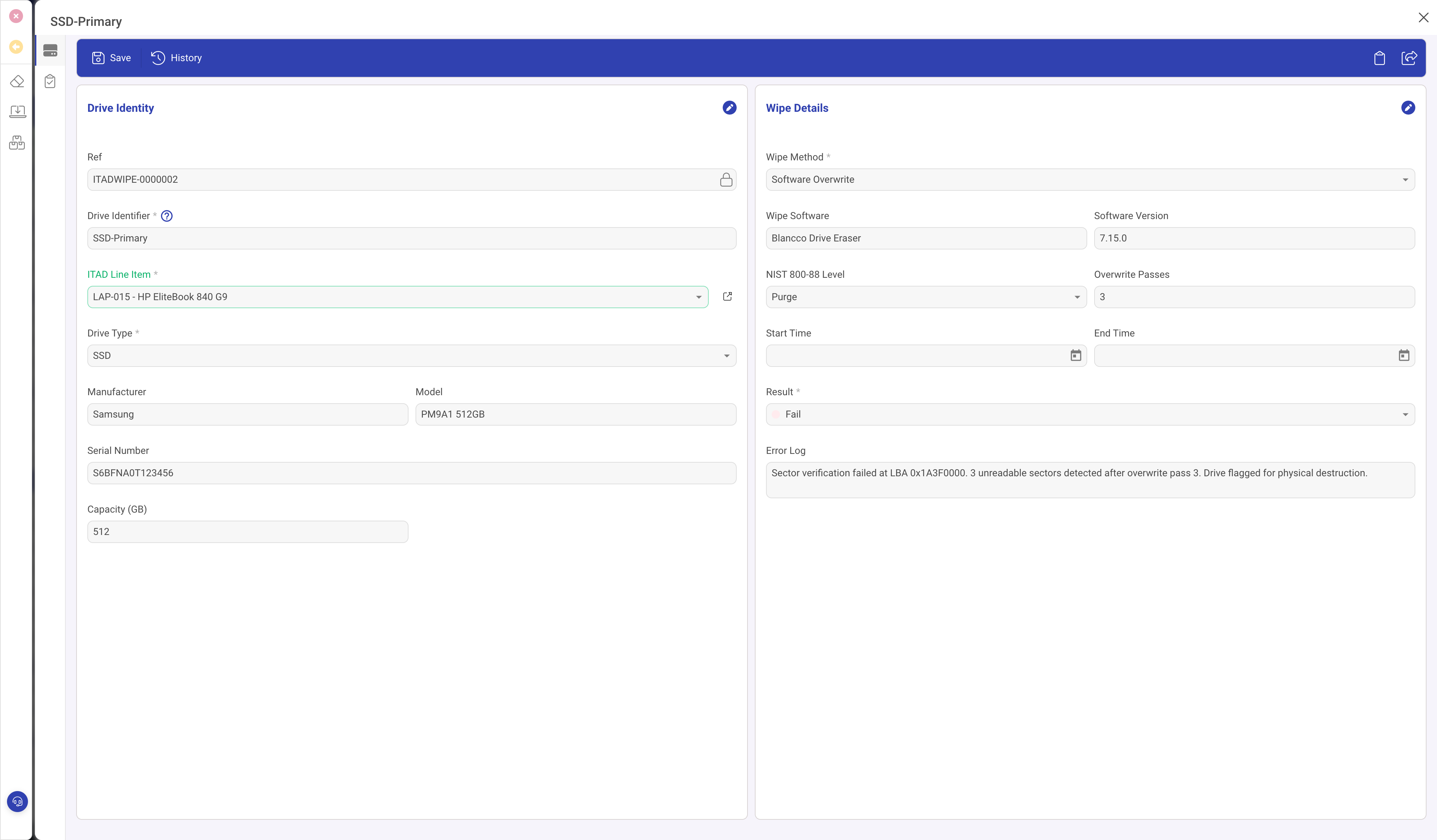
Drive Identity (left)
- Drive Identifier: a label like "SSD-Primary", "HDD-Secondary", or "Bay 0".
- ITAD Line Item: link to the parent line item.
- Drive Type: HDD, SSD, NVMe, Tape, or Flash.
- Manufacturer, Model, Serial Number, Capacity (GB).
Wipe Details (right)
- Wipe Method: Software Overwrite, Cryptographic Erase, Degauss, Physical Destruction, or Firmware Erase.
- Wipe Software and Software Version: the tool used (e.g. Blancco Drive Eraser 7.15.0).
- NIST 800-88 Level: the sanitisation standard achieved.
- Clear: logical techniques to sanitise user-addressable storage. Protects against simple recovery tools.
- Purge: physical or logical techniques rendering recovery infeasible even with lab techniques. Required for most compliance frameworks.
- Destroy: renders the media physically unusable (shredding, incineration, disintegration).
- Overwrite Passes: number of passes (1, 3, or 7 depending on standard and media).
- Start Time and End Time: wipe duration for the audit record.
- Result: Pass, Fail, or Error.
Error Log and Failed Drive Disposal
When a drive fails the wipe (visible when Result is Fail):
- Error Log: records exactly what went wrong (e.g. "Sector verification failed at LBA 0x1A3F0000. 3 unreadable sectors detected after overwrite pass 3").
- Failed Drive Action: Physical Destruction, Degauss, or Quarantine.
- Failed Drive Notes: what was done with the drive.
- Destruction Date and Destruction Witness: when and who verified the alternative disposal.
Verification
- Verified By: the person who confirmed the wipe result.
- Verification Date.
- Certificate Reference: link to the data destruction certificate covering this wipe.
Tips
- Always verify wipe results before releasing assets. An unverified pass is not a pass.
- Use NIST 800-88 Purge as a minimum for any drive that held sensitive data.
- Keep per-drive records for audit. "The asset was wiped" is not sufficient for most compliance frameworks.
- For failed drives, physical destruction is the safest option. Degauss only works on magnetic media (HDDs), not SSDs.